
Product tour
The full PMIS for an AI data center capital programme.
Campuses and assets, then the capital stack: budget, contracts, change orders, payment applications, the schedule of values, cash flow and the schedule. Funding Manager follows, for owners who keep sources apart. Global Search and My Tasks cover the rest. The Operations Wall is one dashboard on top of it — presentation mode for the room.
This tour is the demo-room walk, in that order. App Builder, workflow and the Bidder Portal’s configuration live on Configure.
Open a module
The system the tour walks through.
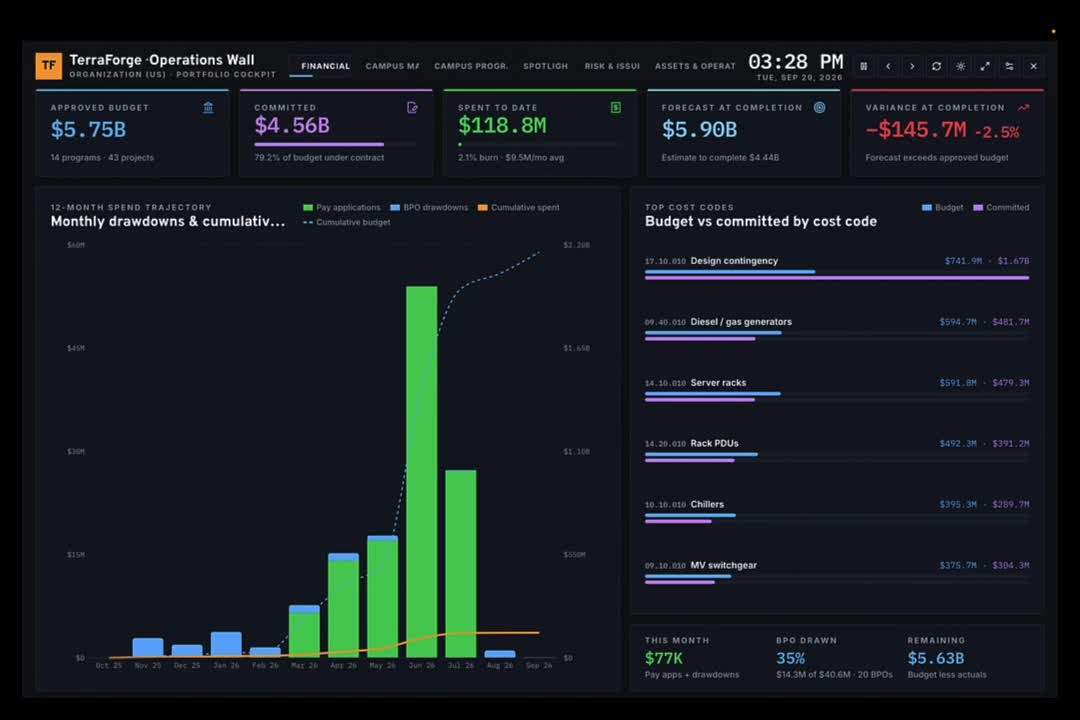
Portfolio roll-up, then the campus programme, then the data hall. Cost, schedule, cash, drawings, documents and the bid sit on that hierarchy. The tour below is the same product, screen by screen. The financial frame of the Operations Wall opens the tour. Risk and issues is the frame in the wall section.
01
Capital programme
Budget first. Then the contract, the change, the application, the schedule of values, the draw, and the date. Funding Manager follows for owners who separate sources.
02
Portfolio control
The owner’s view of the wave: campuses, money, MW and risk, with a cockpit for the room.
03
Programme delivery
Primavera P6 comes in by XER or XML and updates the same schedule in place.
04
Project execution
The hall itself: drawings and takeoffs, the controlled document set, RFIs and the field record.
05
Maintenance
After energization, work orders on campus assets draw against approved master agreements for power, cooling, fiber and fire and life safety.
06
Bidding
From a secure vendor bid to the contract the award becomes.
Organisation Project Management
The working roll-up — budget, commitment, actuals — then drill.
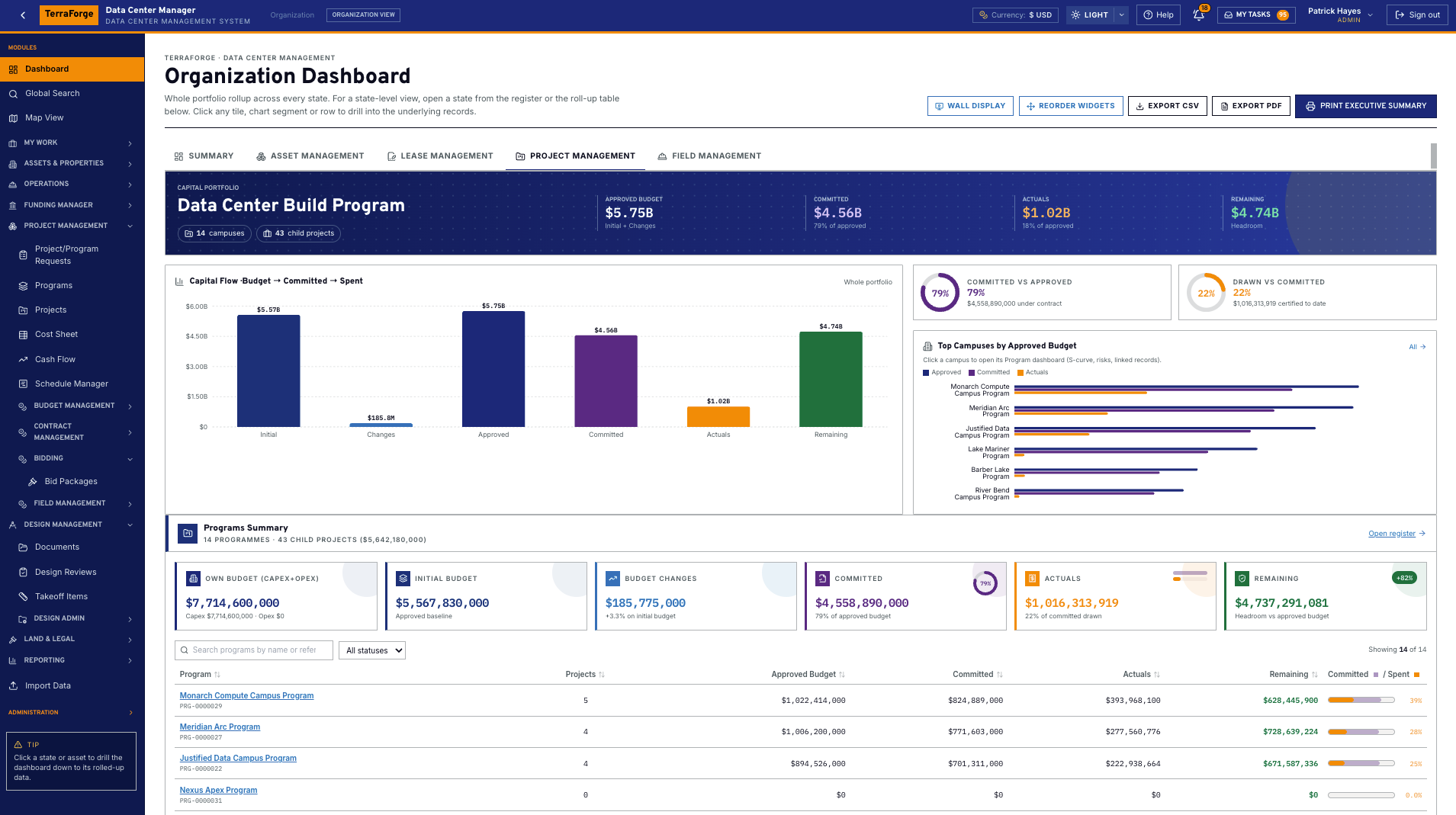
For an AI data center programme this is the screen a controller lives in. Approved budget, committed, actuals, the state, the campus, the child project. In the demonstration tenant that roll-up is $5.75B approved, $4.56B committed, 14 campuses, 43 child projects.
TerraForge ships a drillable organisation dashboard with the business process. The branded portfolio level — State, in the US data center configuration — assets, open work, total budget, spent, burn. Portfolio EVM — BAC, committed, actual, FAC — on the same page. Click a slice or an asset and the widgets follow. Programme to project works the same way.
Why it matters in the room
Export CSV, PDF, or print the executive summary from the same page. Lease management is a tab on the portfolio dashboard. Click a tile or a bar and the source business process opens. Widgets honour record-level visibility.
Global Search
Find any record. Open it. Come back. Most legacy PMIS cannot.
Most PMIS on the market today cannot search every register, open the live record, and return to the results. That is a fundamental flaw. They make you hunt module by module. TerraForge does not.
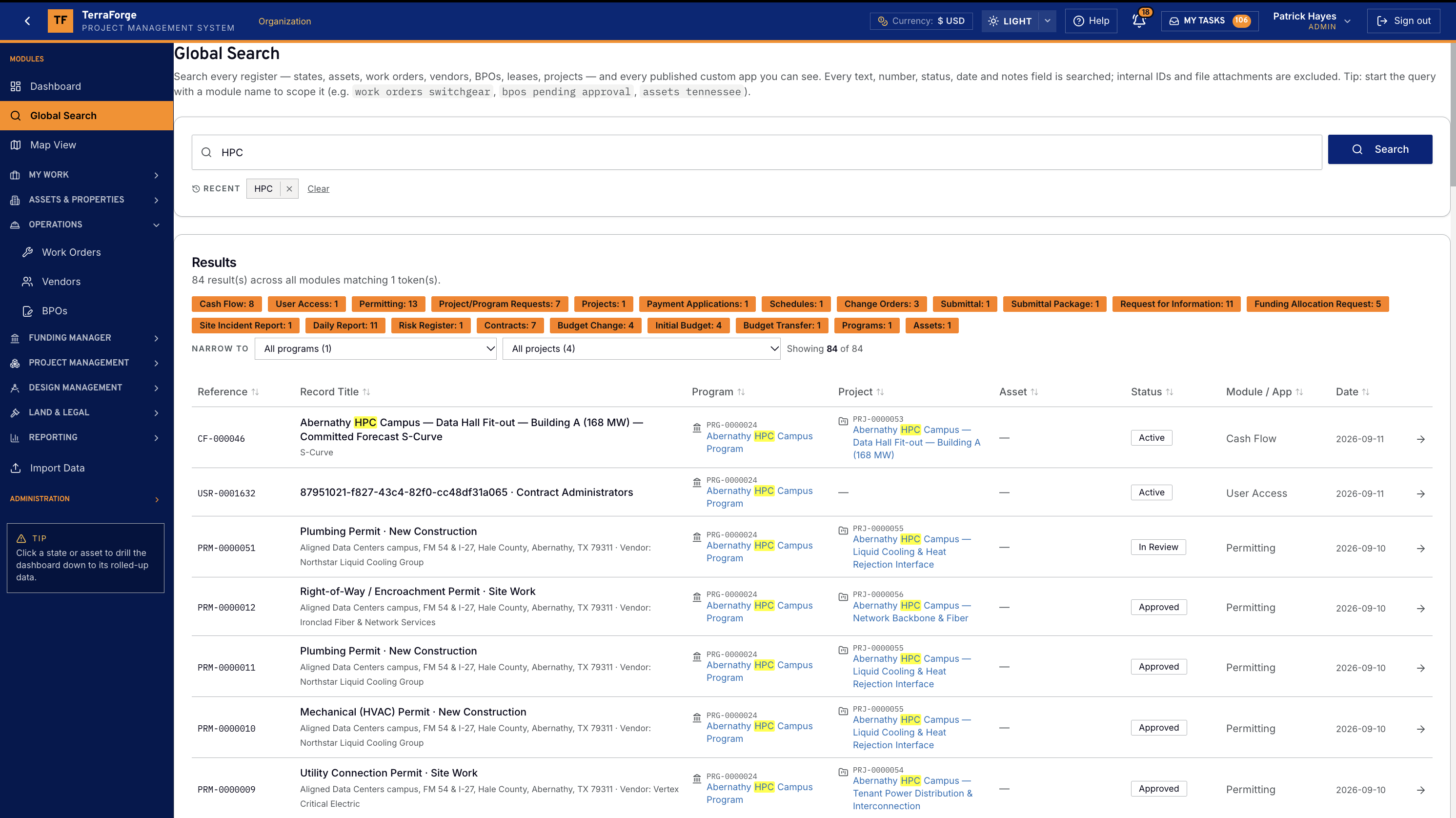
One query covers text, number, status, date and notes on every register and every published custom app. That includes an asset, a project, a schedule, a drawing, a contract, and the rest of the system. Module pills count the hits. Narrow to a programme or a project. The token stays highlighted. The arrow opens the record, and you come back to the same results.
On this demonstration, HPC returns hits across cash flow, permitting, contracts, schedules, programmes, assets and master agreements. Start a query with a module name to scope it. Internal identifiers and file bytes are not indexed.
Operations Wall
A presentation dashboard. The records stay in the PMIS.
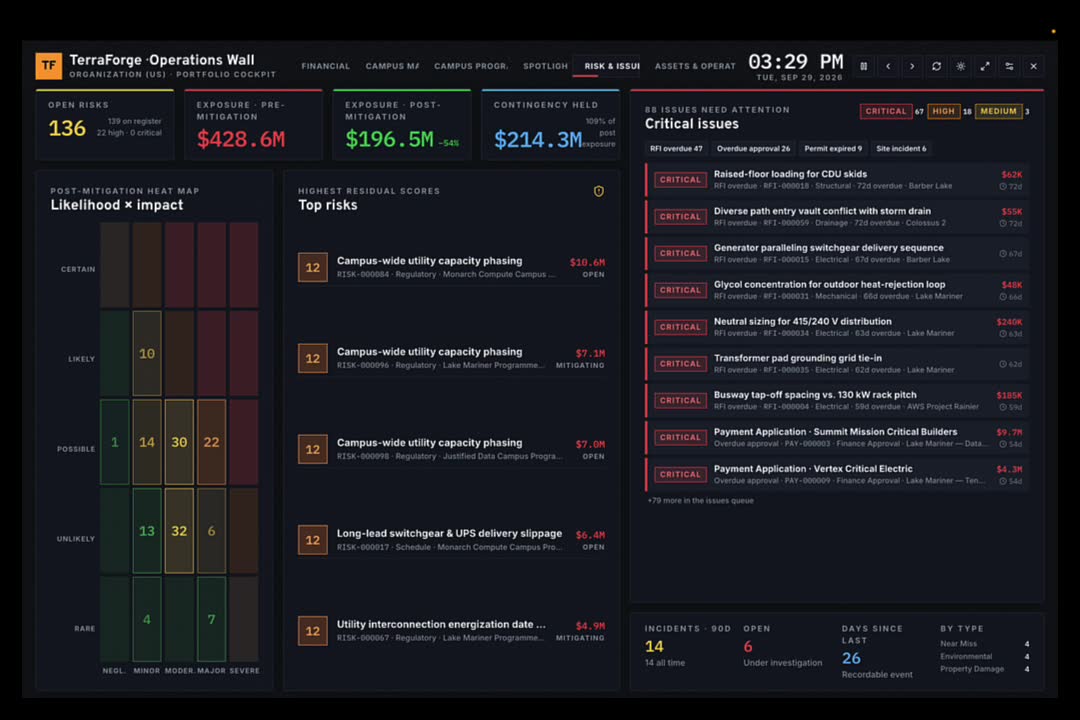
The Operations Wall is command-center ready: dark UI, built to be put on a screen. Presentation mode auto-rotates Financial, Campus Map, Campus Programmes, Spotlight, Risk & Issues, and Assets & Operations.
It reads the PMIS. It is not the PMIS. Funding Manager, the Cost Sheet, the campus asset, the schedule and the RFI remain the system of record. Open a pulsing campus or a risk and the business process is underneath.
What a hyperscale PMO chairs from the wall
- Utility capacity phasing
- Fiber for CDU racks
- Heat-rejection loops
- UPS lead times
- Energization dates
Cost codes on the financial frame are the hall, named properly: diesel and gas generators, server racks, rack PDUs, chillers and CRAC, MV switchgear, cooling towers, liquid cooling and heat rejection.
Campuses & assets
Campus, hall, substation, generator yard — one asset record.
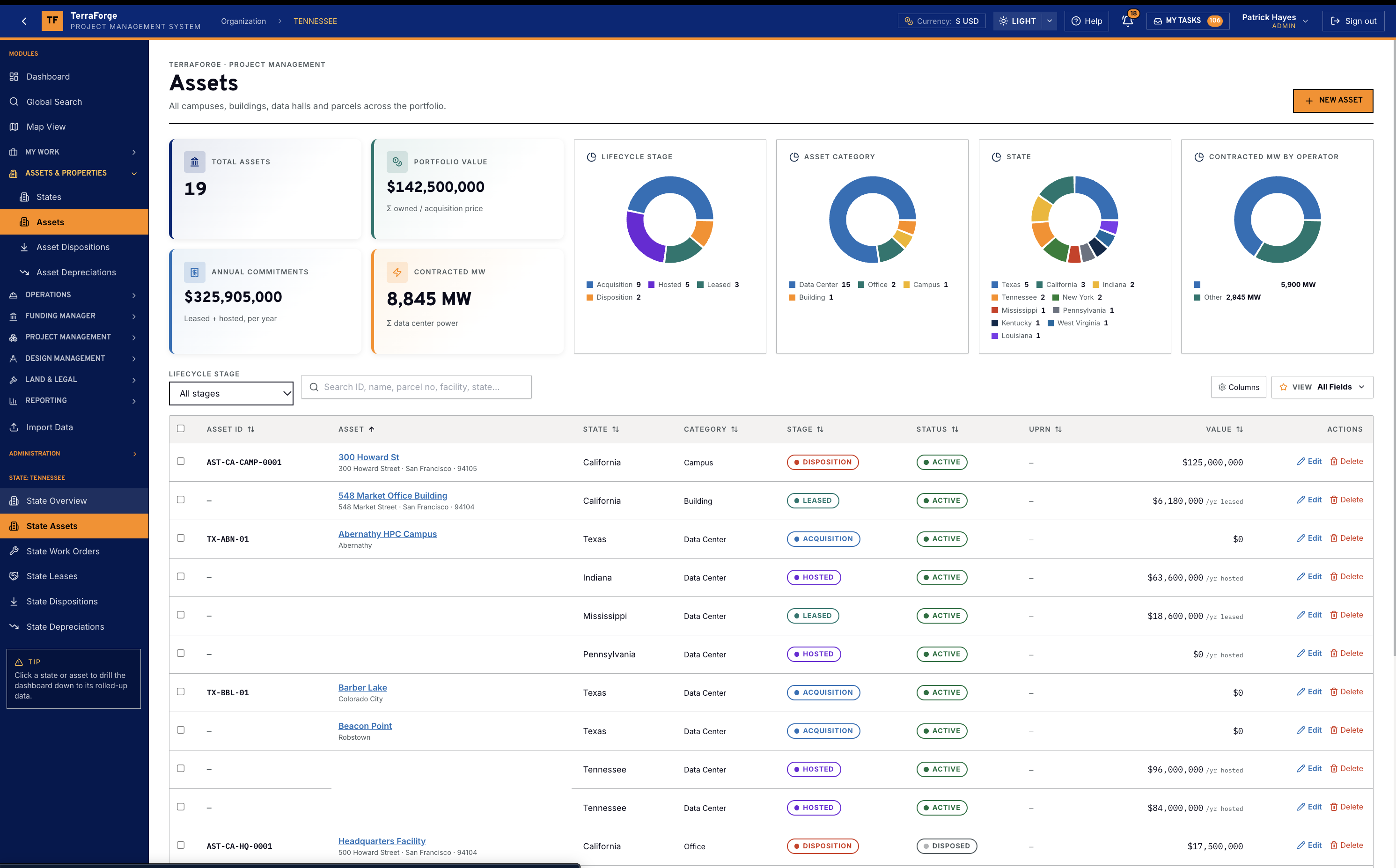
An AI data center portfolio is the power and the campus together. The asset categories include campus, building, data center, data hall, substation, generator yard and parcel. Each has a unique ID, a lifecycle and a pin. A data-center asset adds a facility profile: contracted and operational megawatts, utility feeds, generators, cooling, PUE, data halls, white space and racks. Those figures roll to the state and the organisation dashboard.
The asset page is the tracking record: timeline of work orders, dispositions, depreciations and leases, plus the drawings and photos filed on it. Map View opens the same record. Dispositions record what left the portfolio. Depreciations keep lifecycle value on the asset — building, MEP, IT infrastructure, site improvements, land.
State — utility, ISO, and the megawatts
In the US data center configuration the branded portfolio level is State. The state holds the primary utility, the ISO, and interconnection status from not filed to energized. Contracted megawatts and operational megawatts sit beside the count of data halls and substations. Capex and annual opex are on the same record, and total programme value includes project budget plus the blanket purchase orders scoped to that state. The status is the owner’s view of the queue. It is not a path through it.
GIS / Map Capabilities
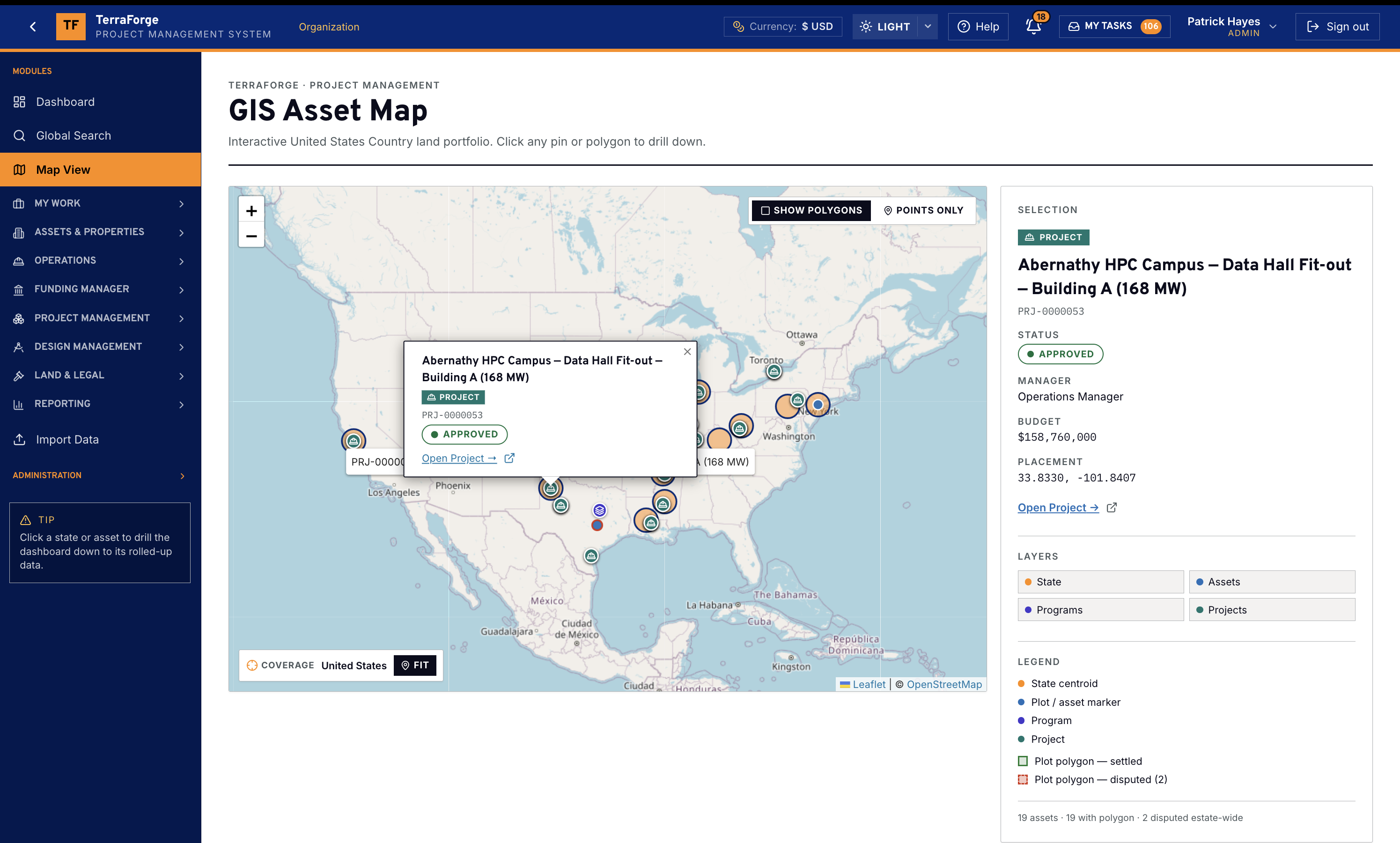
Click the pin. The live record opens — and the dashboard drills with it.
Most legacy PMIS bolt a map onto the side of the portfolio. Map View is the portfolio. A pin or a polygon opens the live business-process record — the same record the register opens — not a popup you cannot act on.
Drill to the roll-up
- State — the regional level in the US data center configuration
- Asset — campus, hall, parcel, and the pin on it
- Programme
- Project — Open Project leaves the map on that record
Layers sit on one canvas: state, assets, programmes and projects, as points and as polygons. Click a state or an asset and the dashboard drills to that roll-up. The demonstration pin is Abernathy HPC Campus — Data Hall Fit-out, Building A, 168 MW, approved, budget $158,760,000.
The same map lives inside Assets and Projects, not only this screen. It is not a GIS silo you reconcile on Friday.
Maintenance
After energization, the work order draws the master agreement.
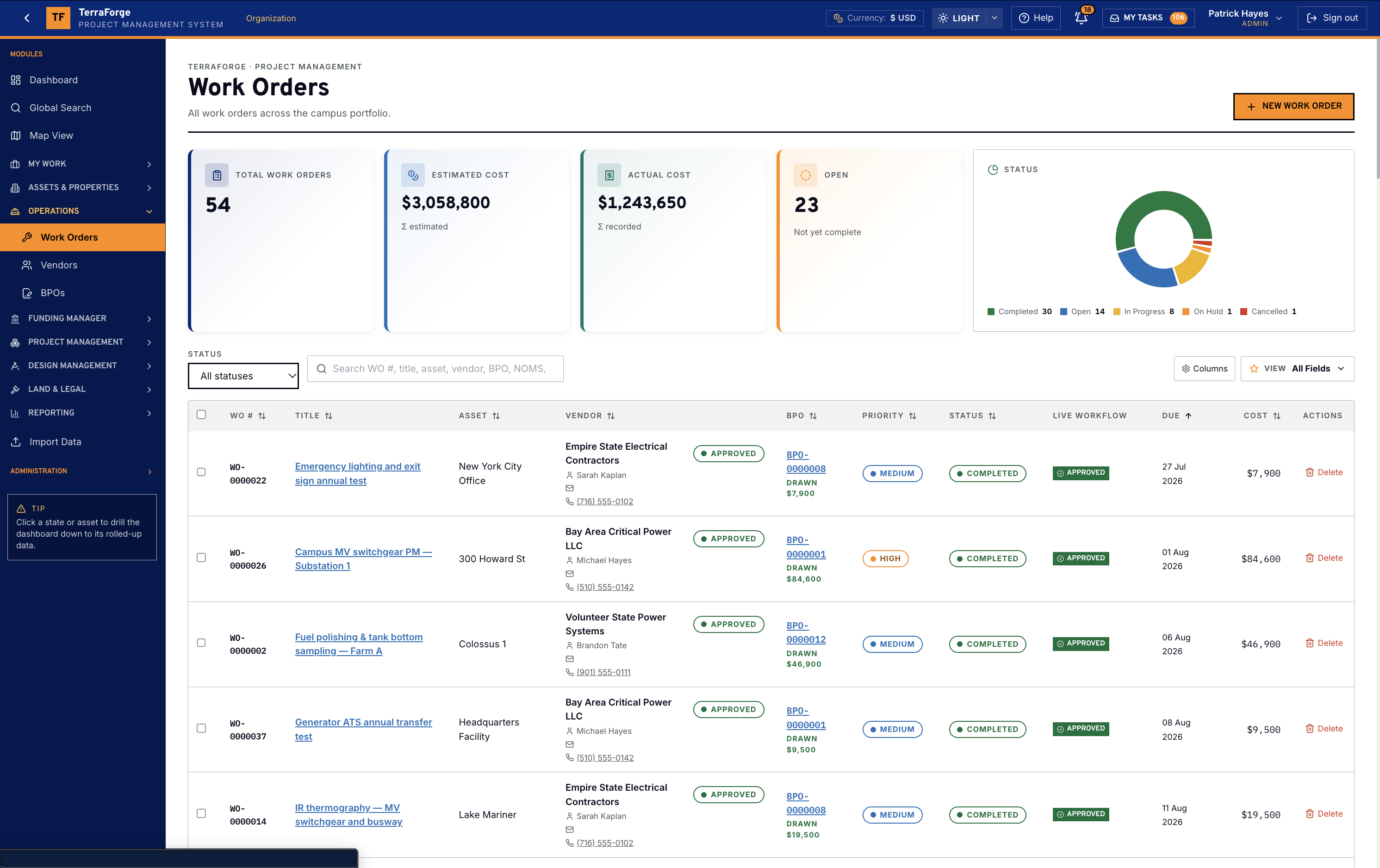
Maintenance of a live campus is not a second system. After energization, a work order is a unit of work on the campus asset: switchgear PM, fuel polishing, a generator ATS transfer, infrared thermography, and the corrective, inspection, commissioning and warranty work around them. It names the supplier, the priority, the due date and the master agreement it draws. Approval is Ball-in-Court in My Tasks. Marking it completed charges the actual cost to that agreement, once. Suppliers do not sign in to the work order.
Master agreements
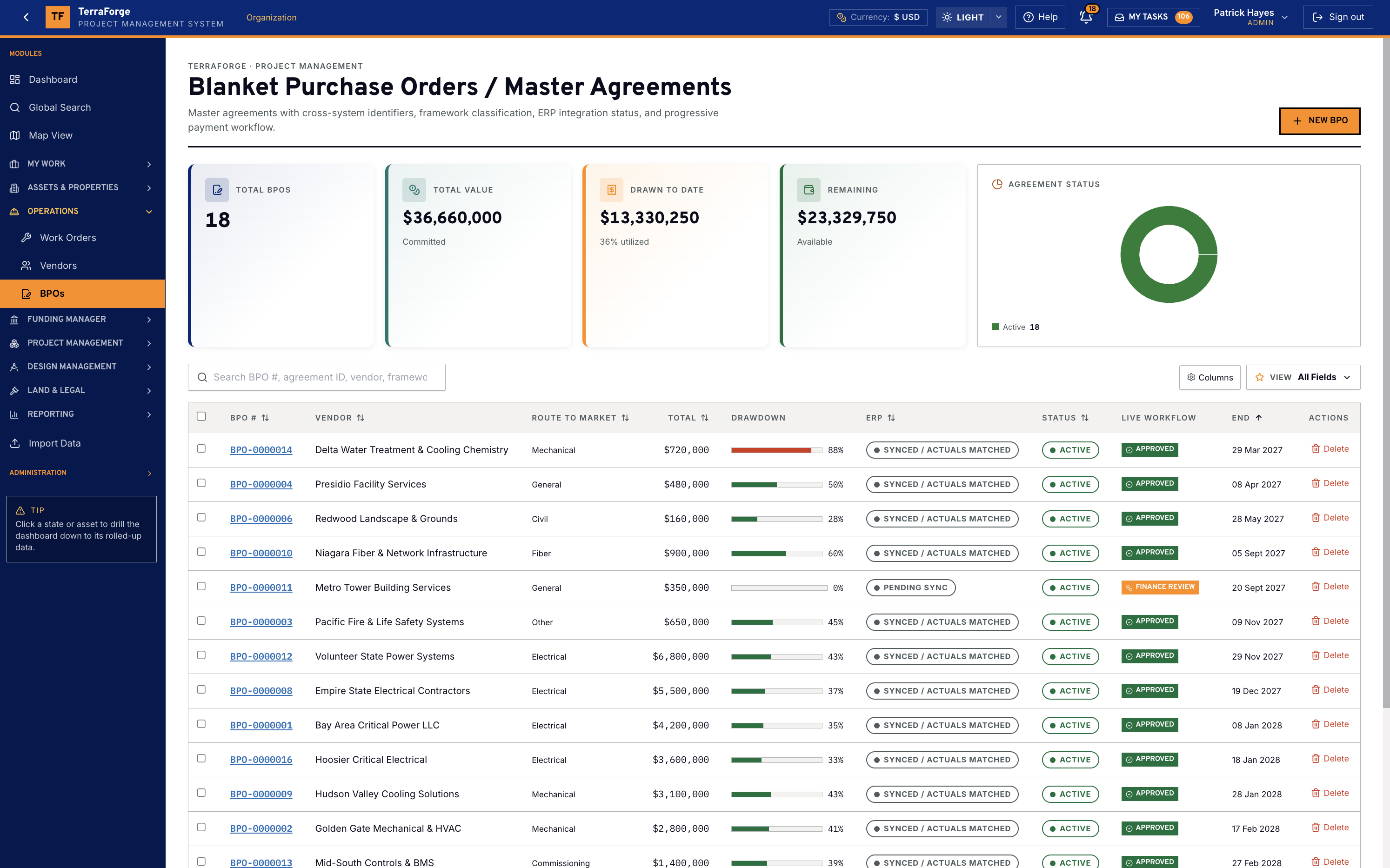
A blanket purchase order is the approved ceiling with one supplier: power, cooling, fiber, fire and life safety, civil, commissioning. Total value, drawn to date and remaining sit on the register, with ERP sync beside the status. Only an active agreement can be drawn. Remaining is total minus drawn. Most legacy PMIS leave this in another system once the hall is live.
Leases & land / legal
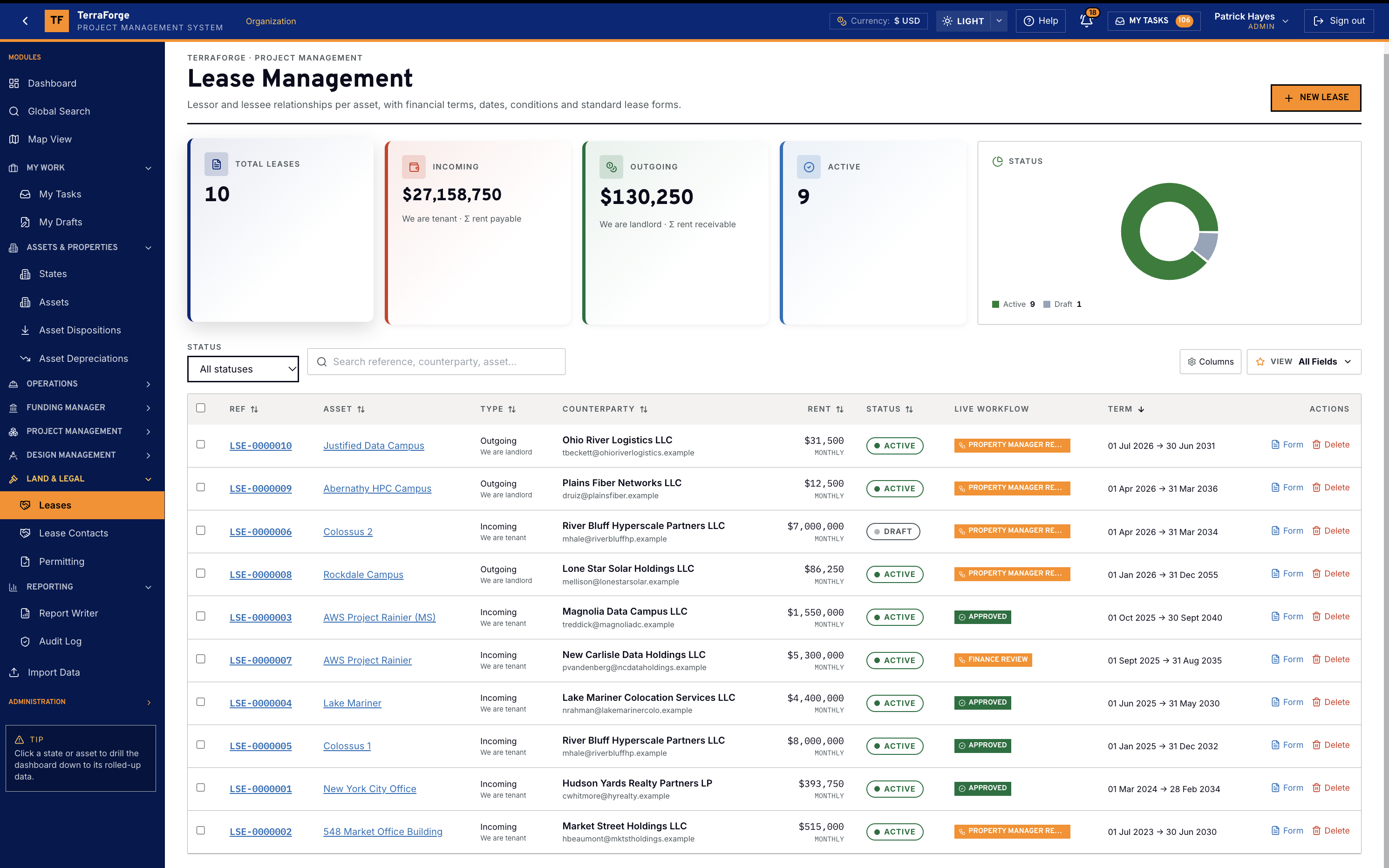
Campus leases, and the disposition when an asset leaves.
Lease data that lives in a property system never reaches the capital conversation. A sale, transfer, easement grant or decommission that lives in a legal folder never reaches the asset the programme spends against.
TerraForge Leases sit on the campus asset: incoming or outgoing, counterparty, rent, term. This demonstration register is in US dollars. Lease contacts are who to call, held against the lease — in Land & Legal, not a mailing list in another system. The demo can label that Book of Reference in markets that use the term.
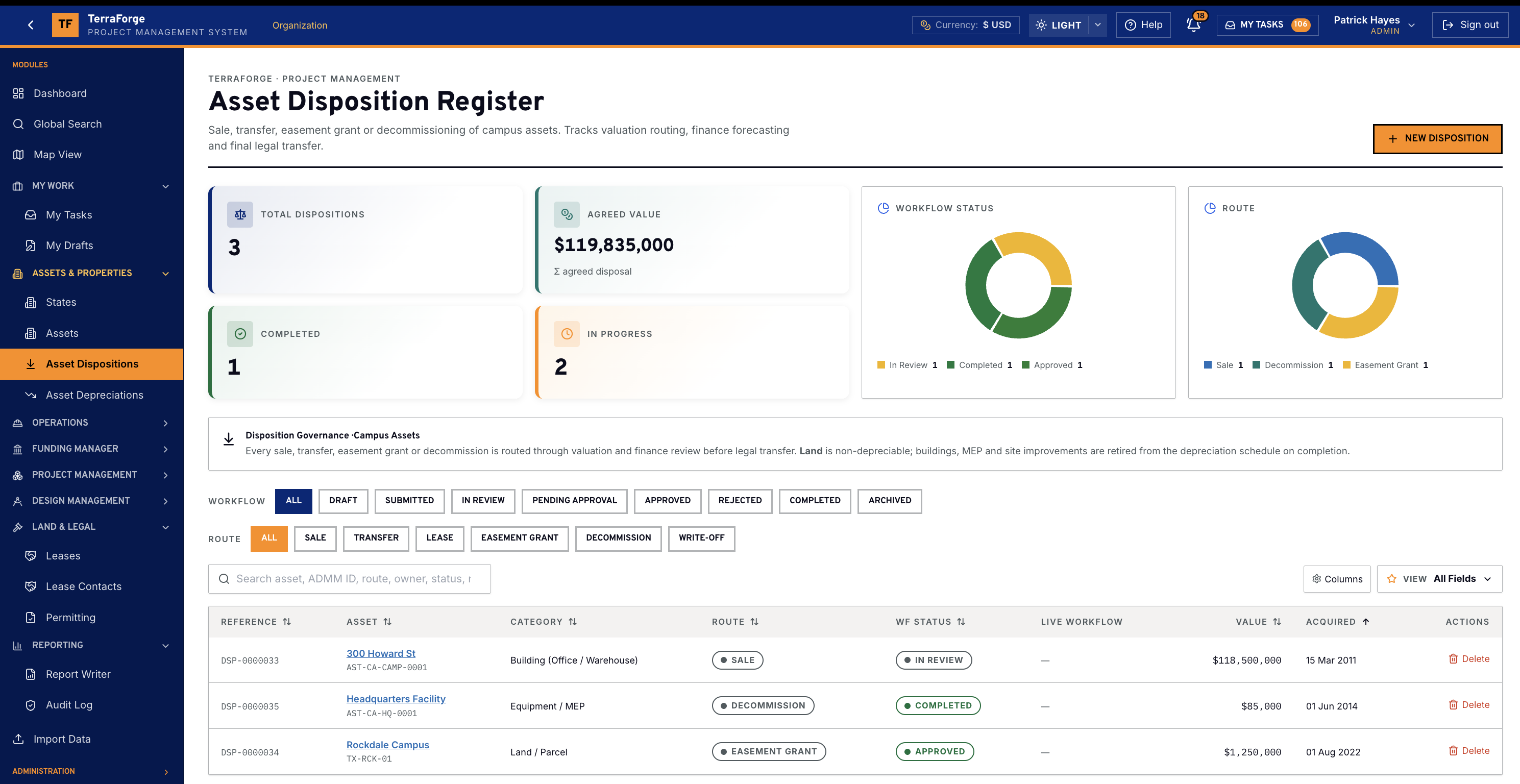
Asset Dispositions
Asset Dispositions record a sale, a transfer, an easement grant or a decommission of a campus asset. The route runs through valuation and finance before the legal transfer. Buildings, MEP and site improvements retire from the depreciation schedule when the disposition is complete. Land stays non-depreciable.
Programme cost sheet
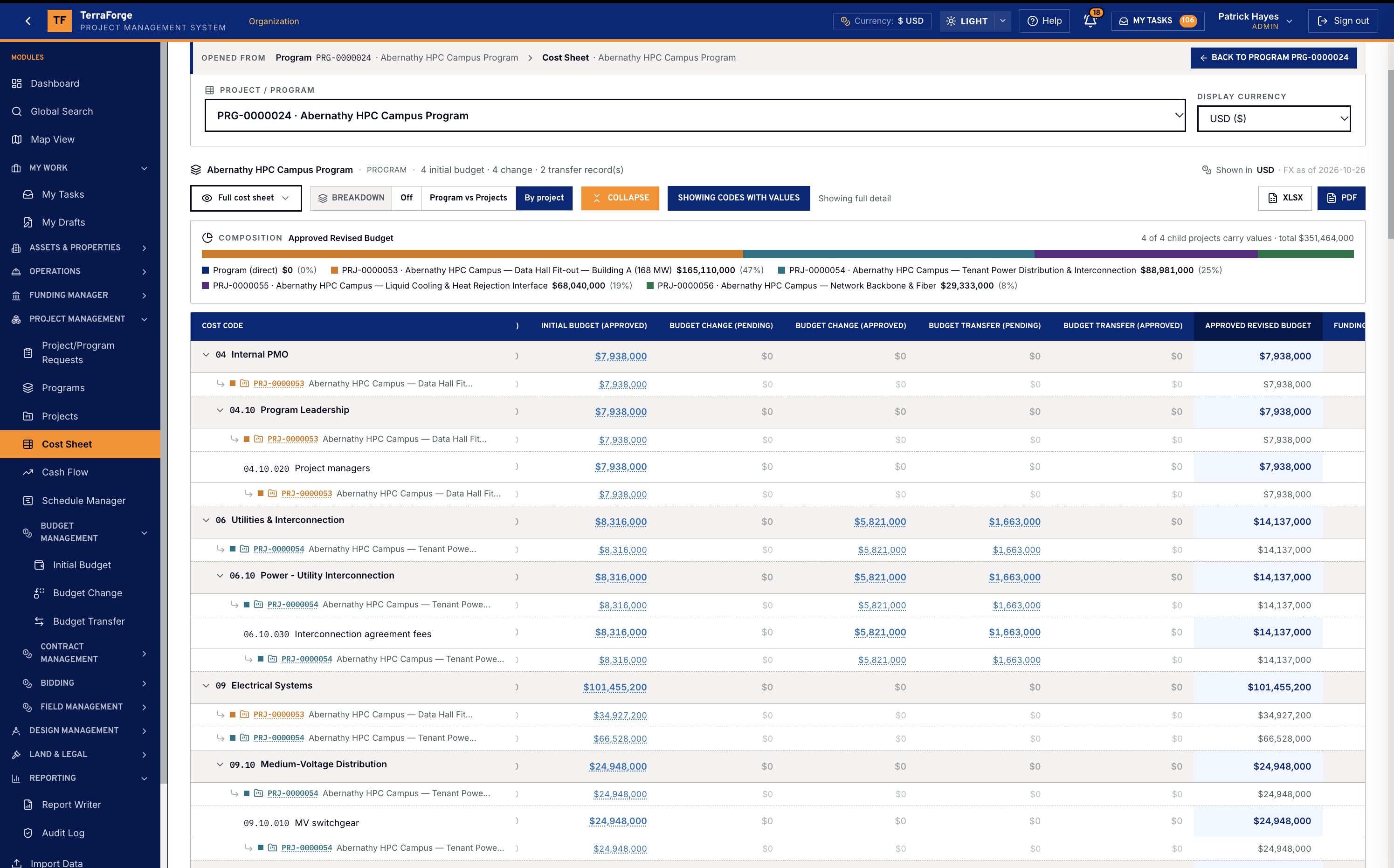
The programme sheet rolls up from the child projects.
Programme Cost Sheet rolls up from child projects — Initial, Changes, Transfers, Revised. Most legacy PMIS stop at the project sheet. On Abernathy HPC Campus Program the composition bar is those child projects summing into Approved Revised Budget. The portfolio sheet is the same arithmetic one level up. The project sheet is the cost codes.
On a data hall the codes are specific: diesel and gas generators, server racks, rack PDUs, chillers and CRAC, MV switchgear, cooling towers, liquid cooling and heat rejection. The financial frame on the Operations Wall reads those codes for the room. The Cost Sheet is where they are kept.
TerraForge Cost Sheet is hierarchical WBS. The columns are the product: Initial → Changes → Transfers → Revised → Committed → Actual → Forecast → Remaining. Dated FX from Company Configuration — not a monthly paste.
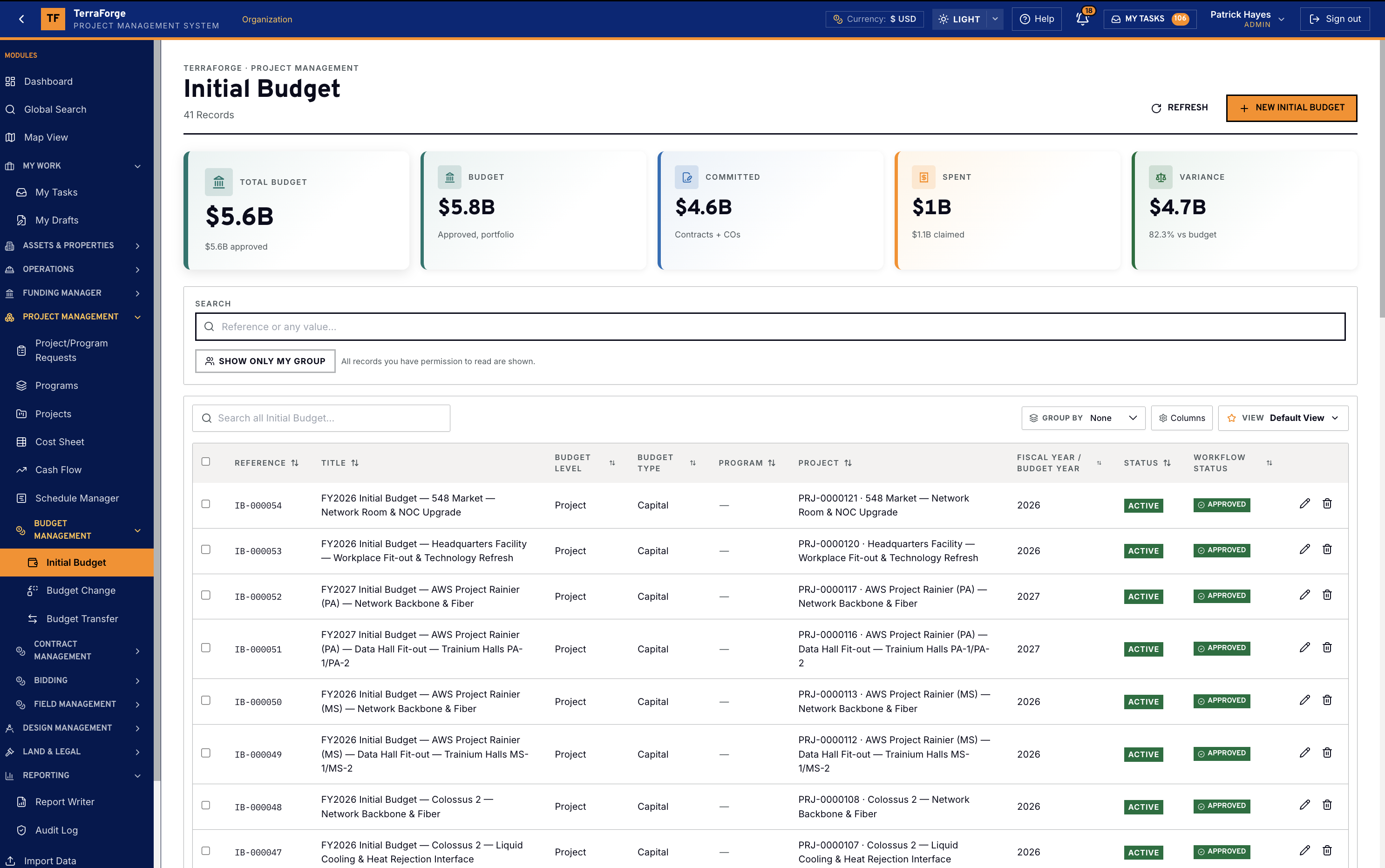
Budget Management
Initial Budget is the sanctioned baseline as a business process. Budget Change and Budget Transfer carry pending and approved in their own columns. The sheet does not get typed over.
Contract management
Contracts, change orders, payment applications, SOV — one family.
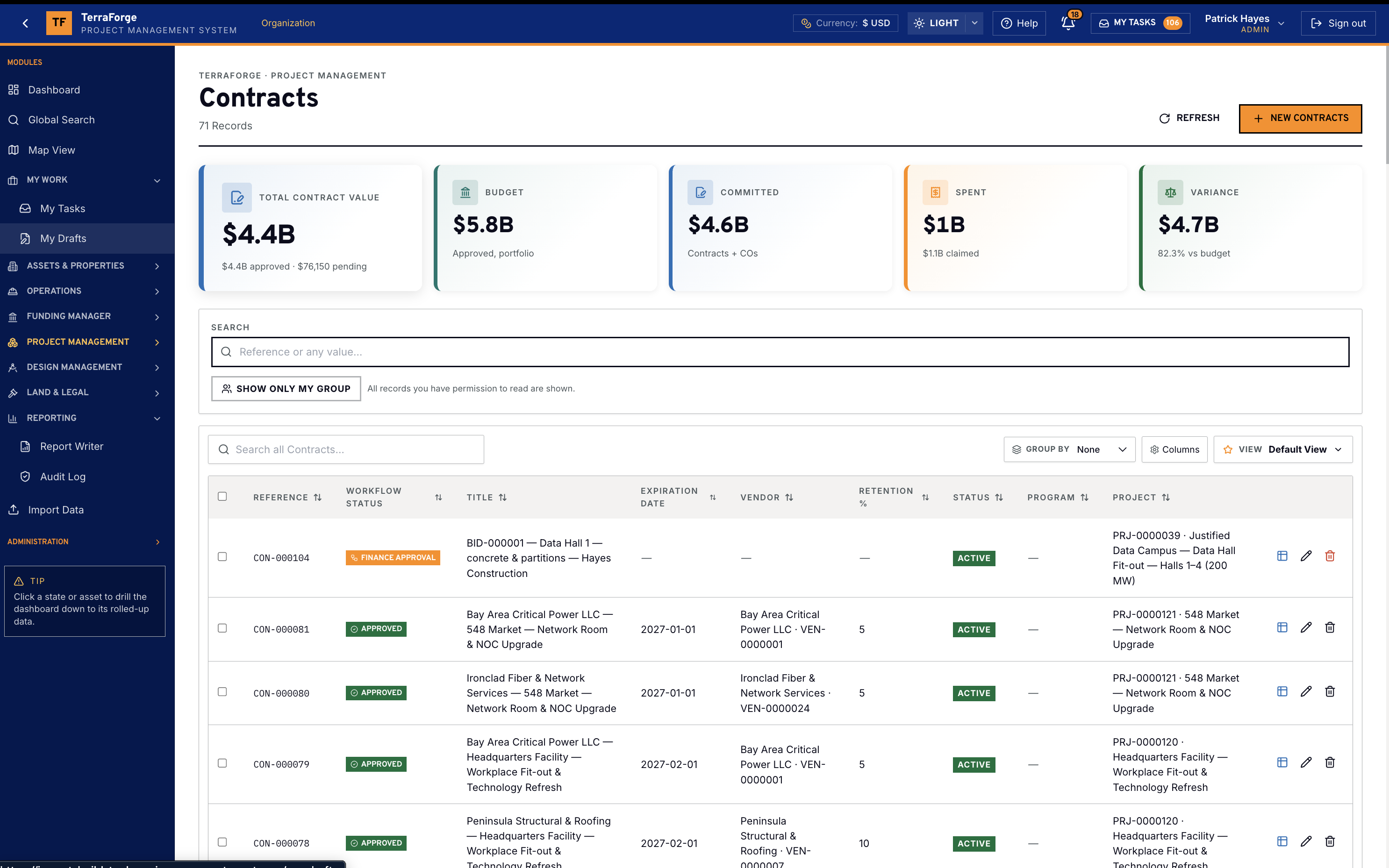
Commercial that lives in a contracts business process and a cost sheet that do not talk is how committed and actual drift. Change orders that live in email are how the SOV dies.
TerraForge Contracts hold titles, counterparties and values — and they feed Committed on the Cost Sheet. Each business process ships KPI tiles. Not a sidecar the PMO rebuilds on Friday.
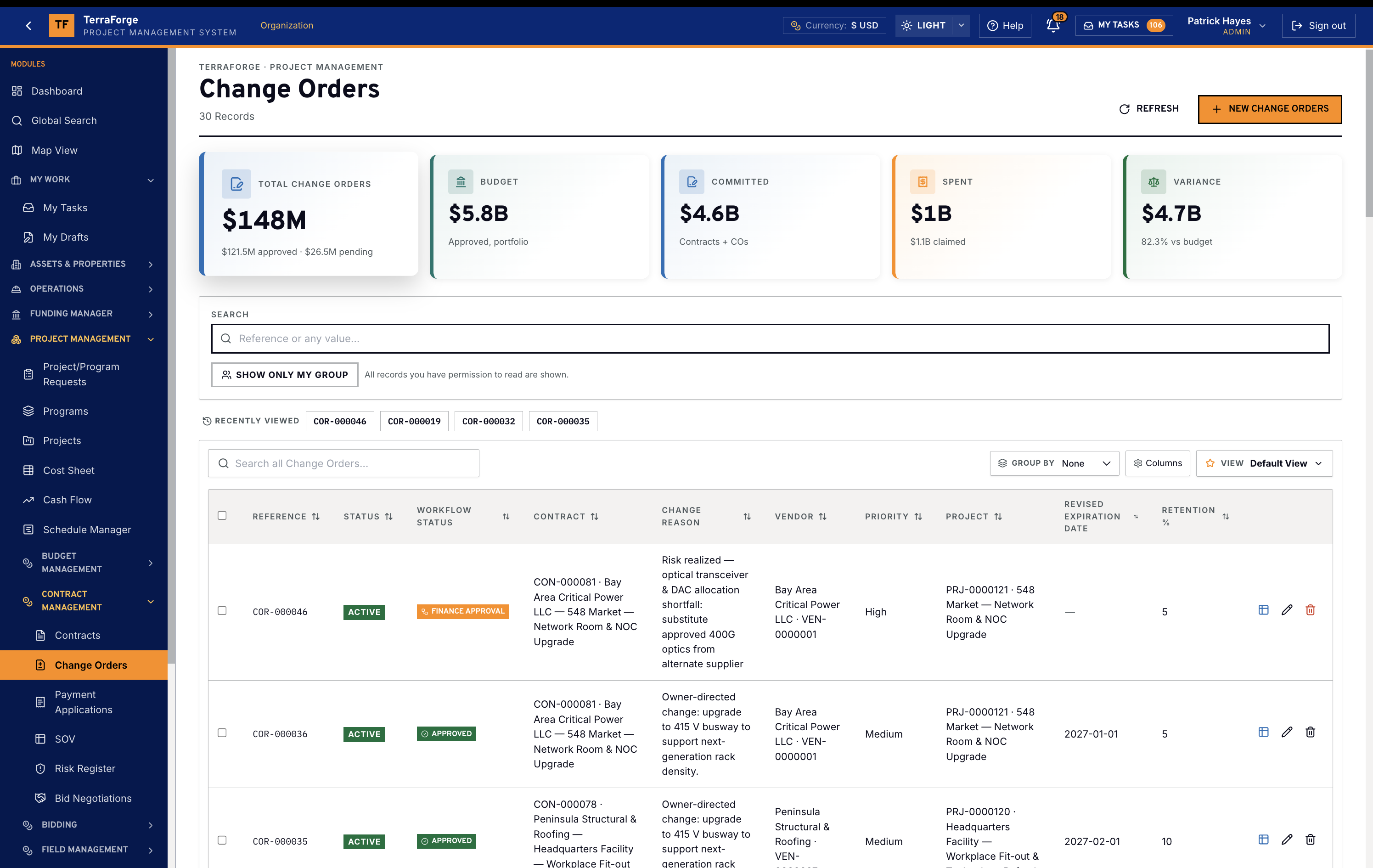
Change Orders
A change order is against the parent contract, not a parallel tracker. Pending and approved movement hits the sheet the same way a budget change does. The business process is live — not a Friday extract.
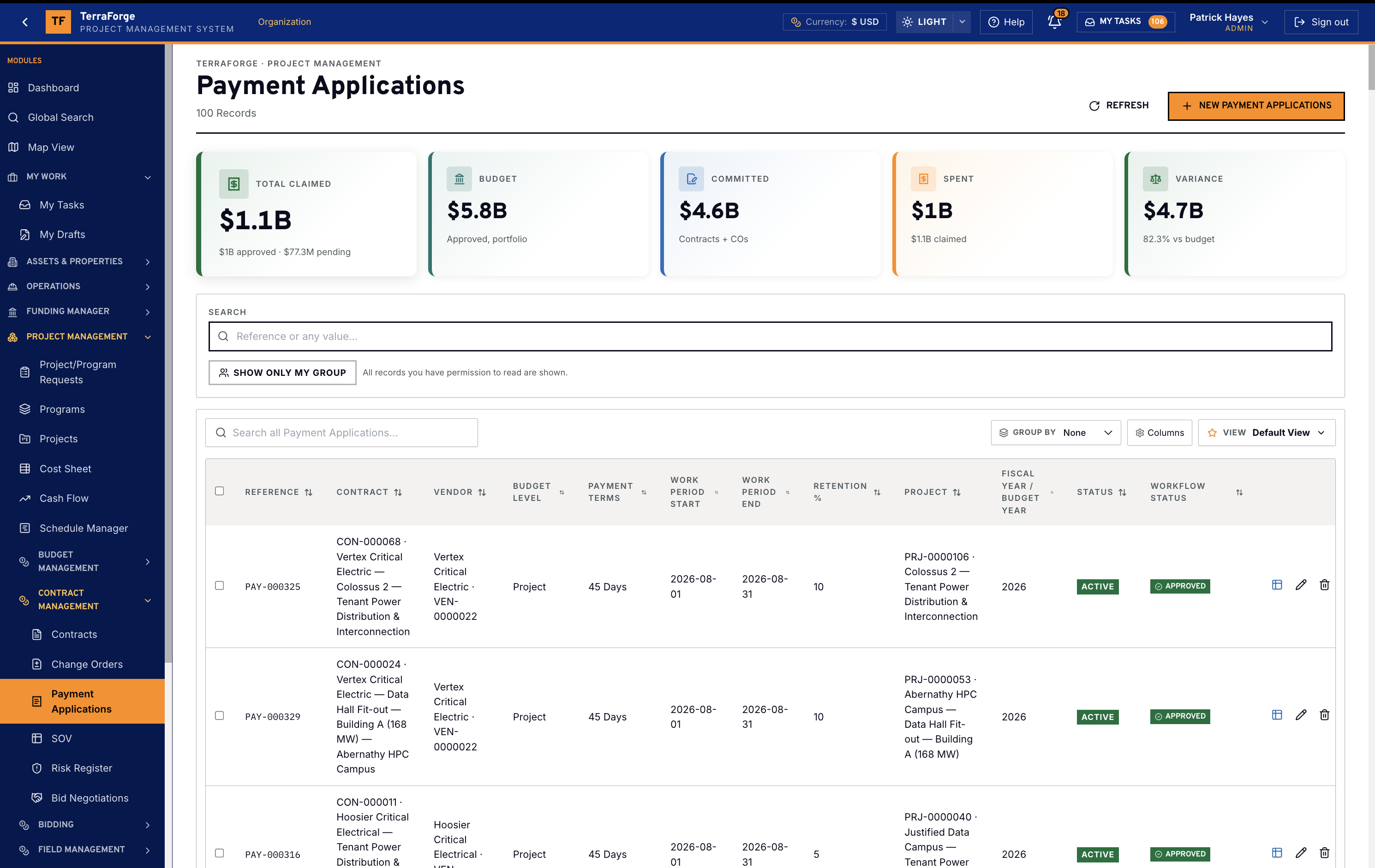
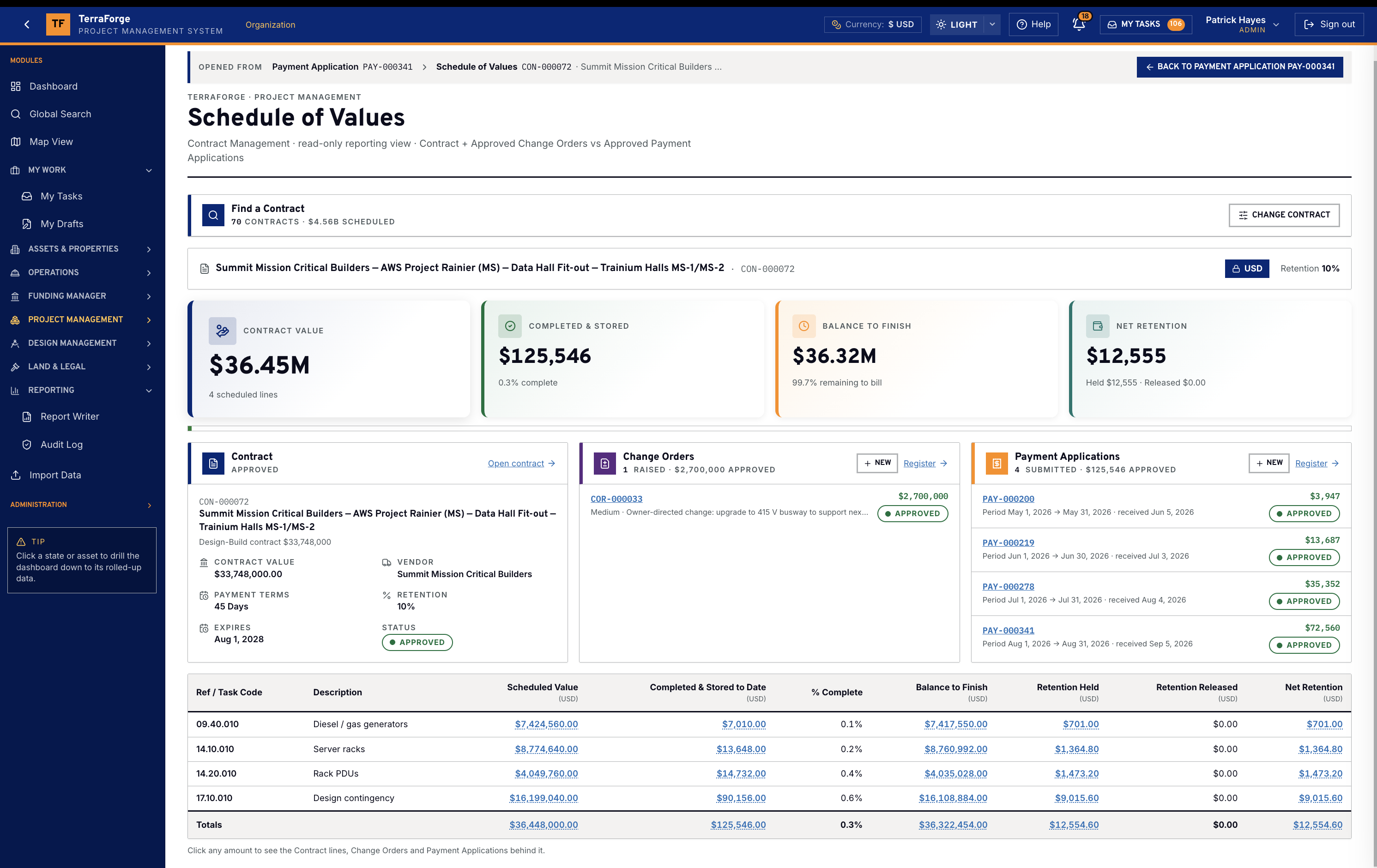
Payment applications and SOV
Payment applications are the actuals. The Schedule of Values is the breakdown they draw against. Same family. Same workflow. Same inbox.
Cash flow
Freeze a baseline. Compare it with the live forecast.
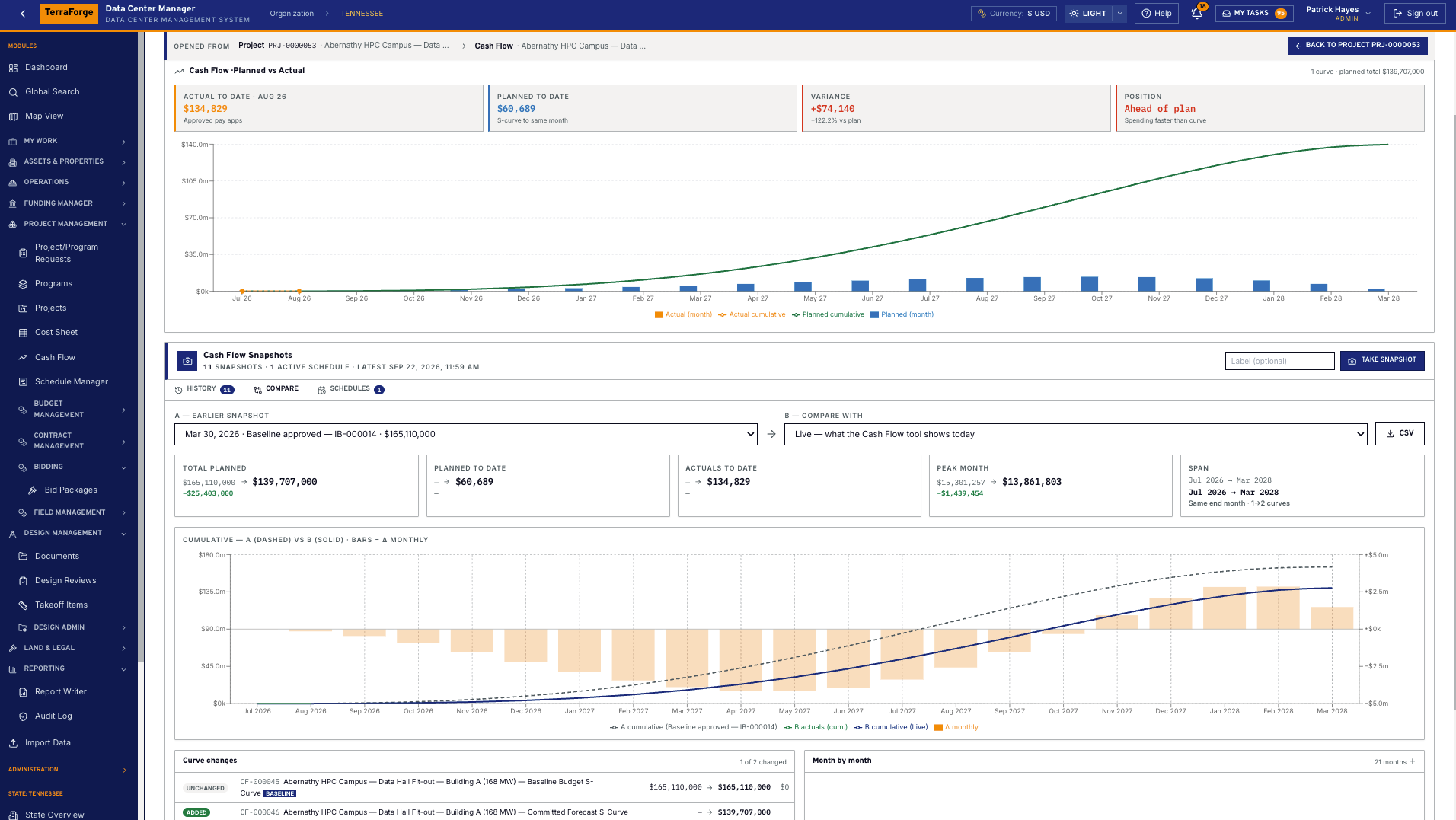
Cash Flow Manager links an S-curve to a Cost Sheet column — typically Approved Revised Budget — at project, cost code or contract. Steepness and skew. Monthly bars, cumulative line, and a snapshot of the project or the portfolio compared with the live plan. Actuals are approved payment applications.
Schedule Manager
P6 by XER or XML. Updated in place. Baseline kept here.
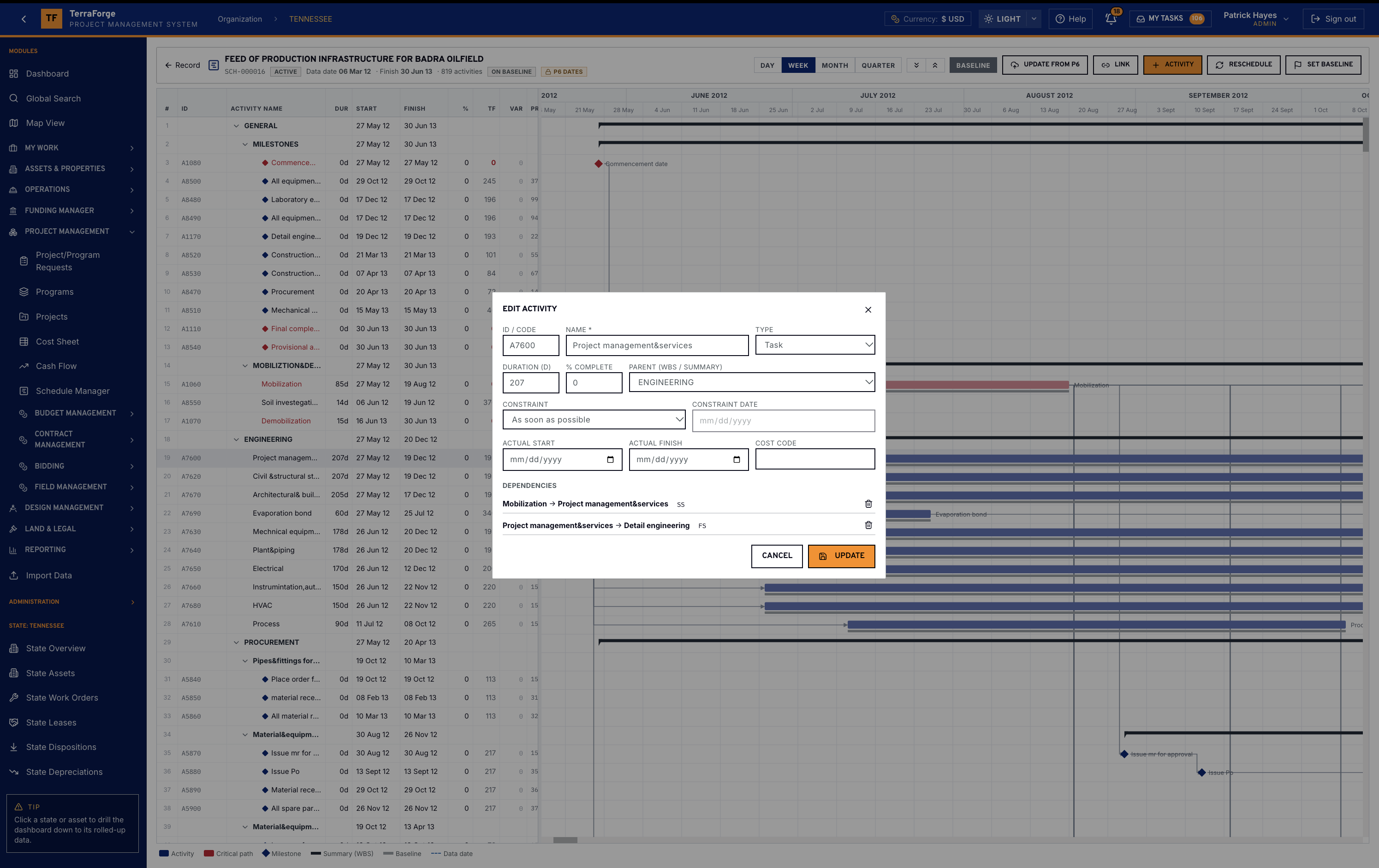
Bring Primavera P6 in by XER or XML, then update that schedule in place. Activities match on the P6 ID. Keep the TerraForge baseline and slippage is computed here. Add an activity, reschedule, set baseline — on this record.
Schedule Manager is a live WBS Gantt: activities, duration, start, finish, percent complete, total float, variance. Critical path in red. Milestones as diamonds. Baseline under the bar. Day, week or month. Hundreds of activities on one programme — the picture the planner already trusts.
Funding Manager
Colors of money — the Fund Sheet says where the work is paid from.
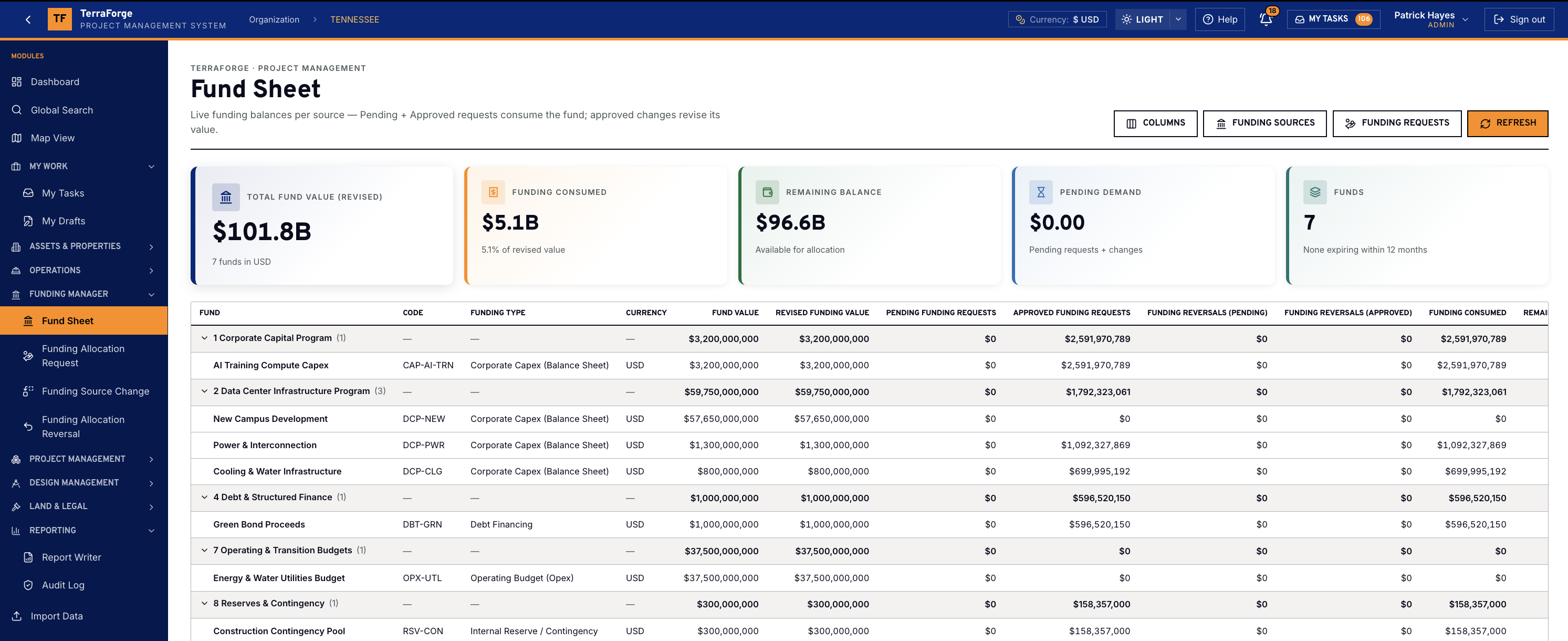
The cost sheet says what the work costs. Funding Manager says where it comes from. Sources carry a governed type: corporate capex, debt financing, government grant, partner equity, operating budget, lease or sale-leaseback, vendor financing, customer prepayment. The Fund Sheet groups every pot and shows revised value, consumed, remaining and pending demand.
An allocation splits one or more sources to 100% — priority 1 is consumed first — and targets a programme or a project. The request total is that record’s approved budget position. A source change revises the pot and leaves the original amount. A reversal returns an approved allocation in the same proportions. Approved requests are immutable. The Fund Sheet reports revised value, consumed, remaining, pending demand, and funds expiring within 12 months. Organisation, programme and project cost sheets show Funding Allocations (Approved) and Budget vs Funding Δ. Programme and project dashboards show Funding Approved beside that gap. Each of those records has a Funding tab.
Field Management
Field Management — one Ball-in-Court inbox.
Utility capacity phasing, fiber for CDU racks, heat-rejection loops, UPS lead times and energization dates show up here as RFIs, risks and schedule ties. The Bidder Portal runs the tender that becomes the contract on this job.
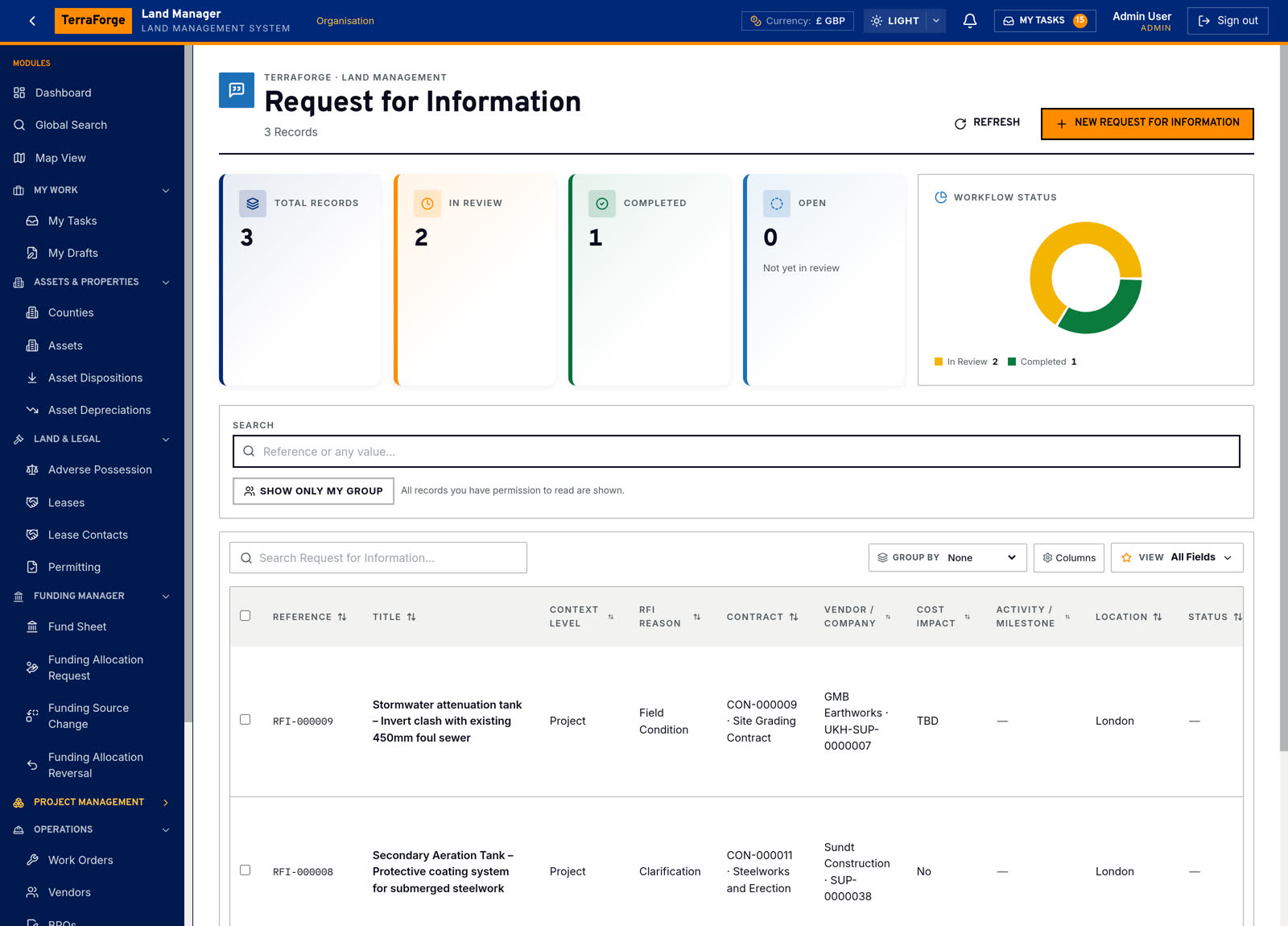
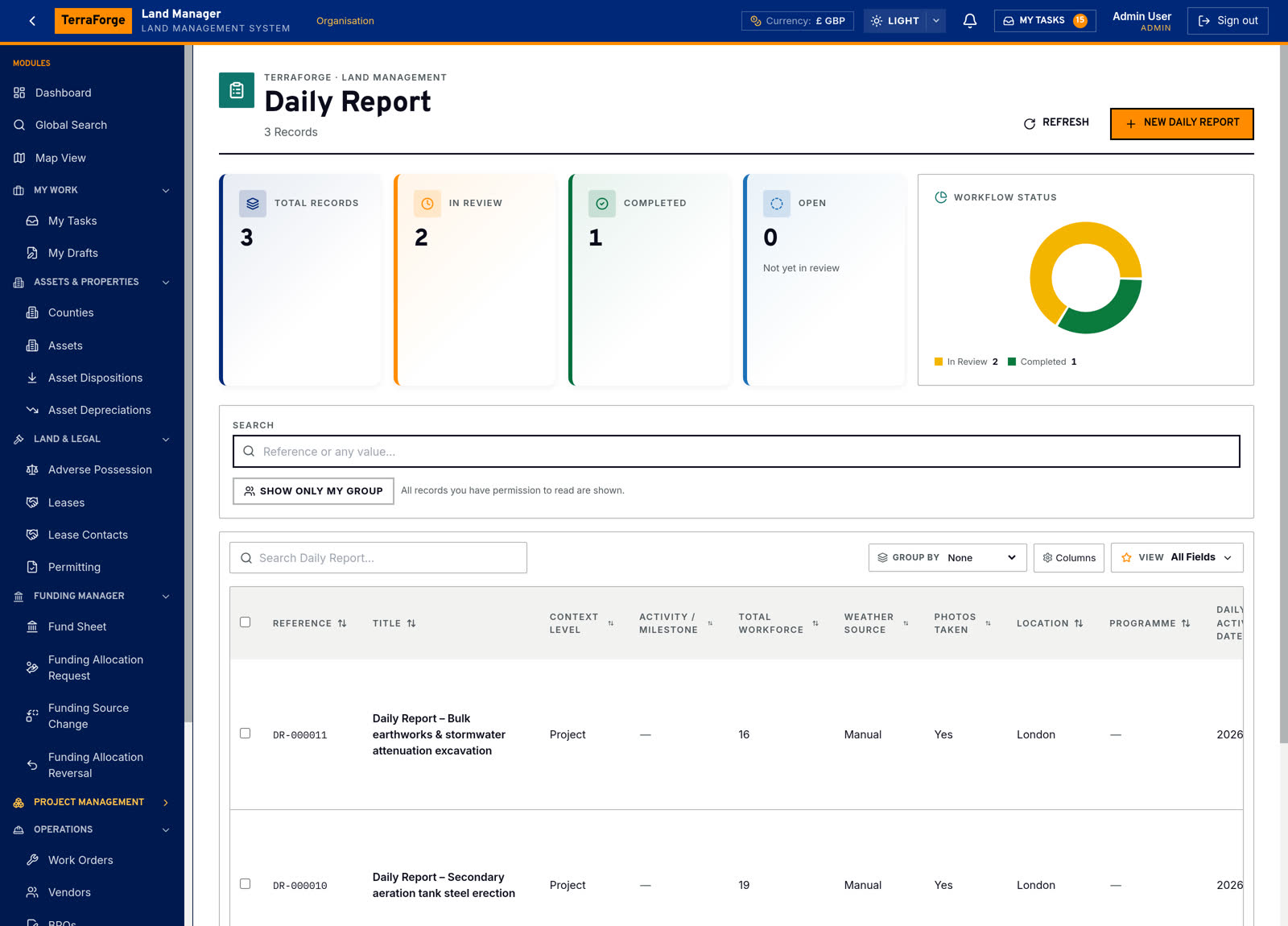
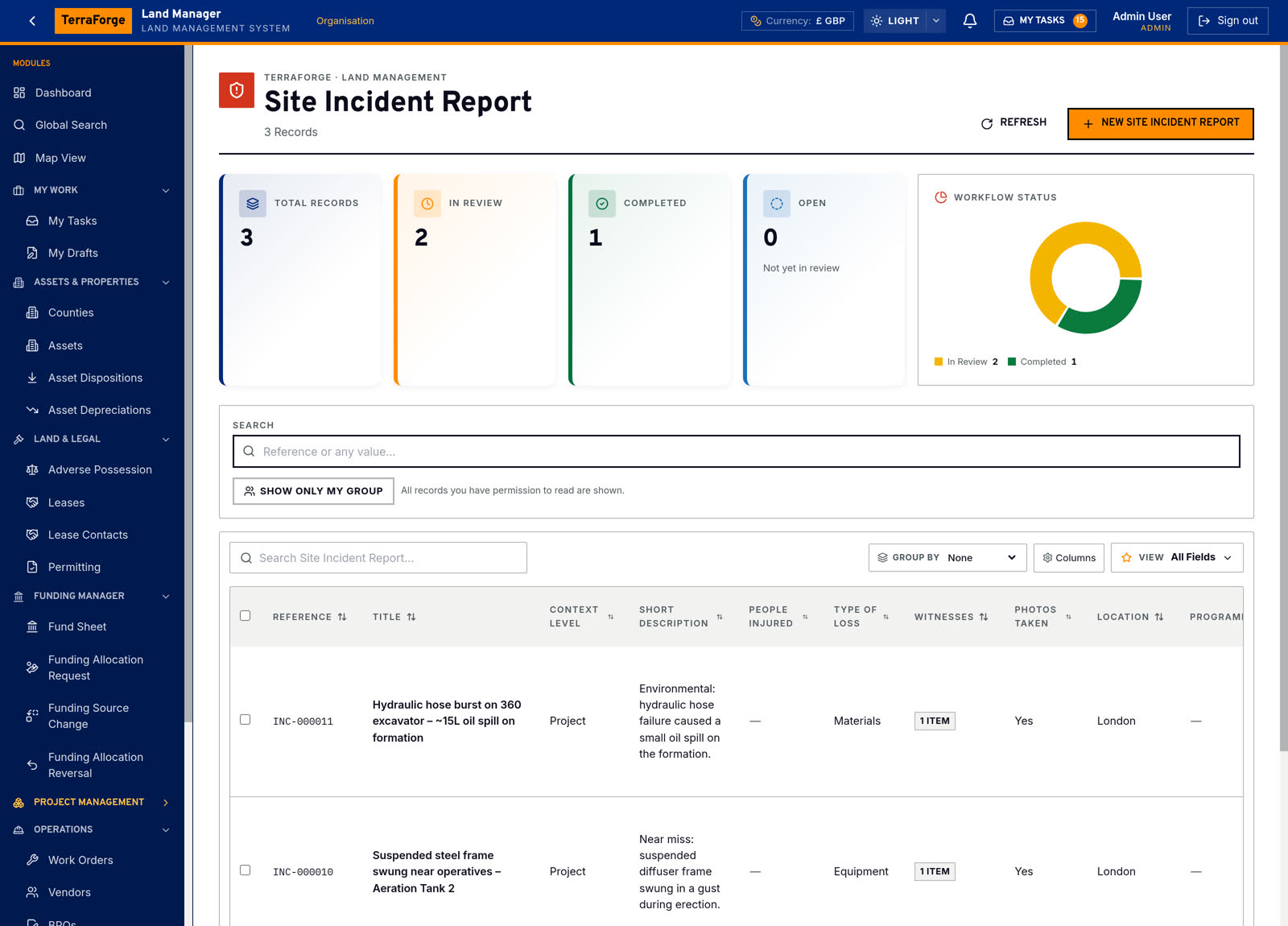
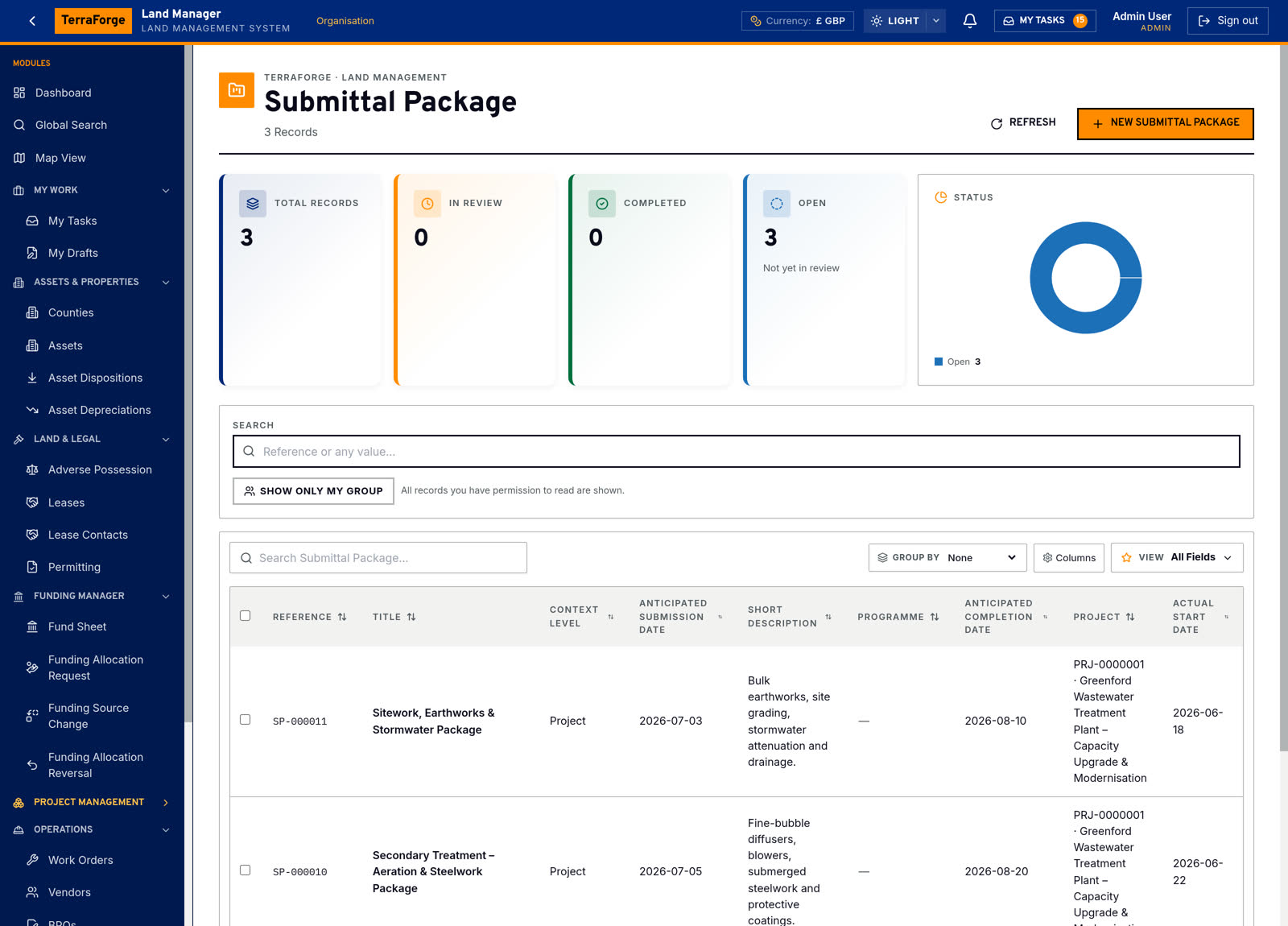
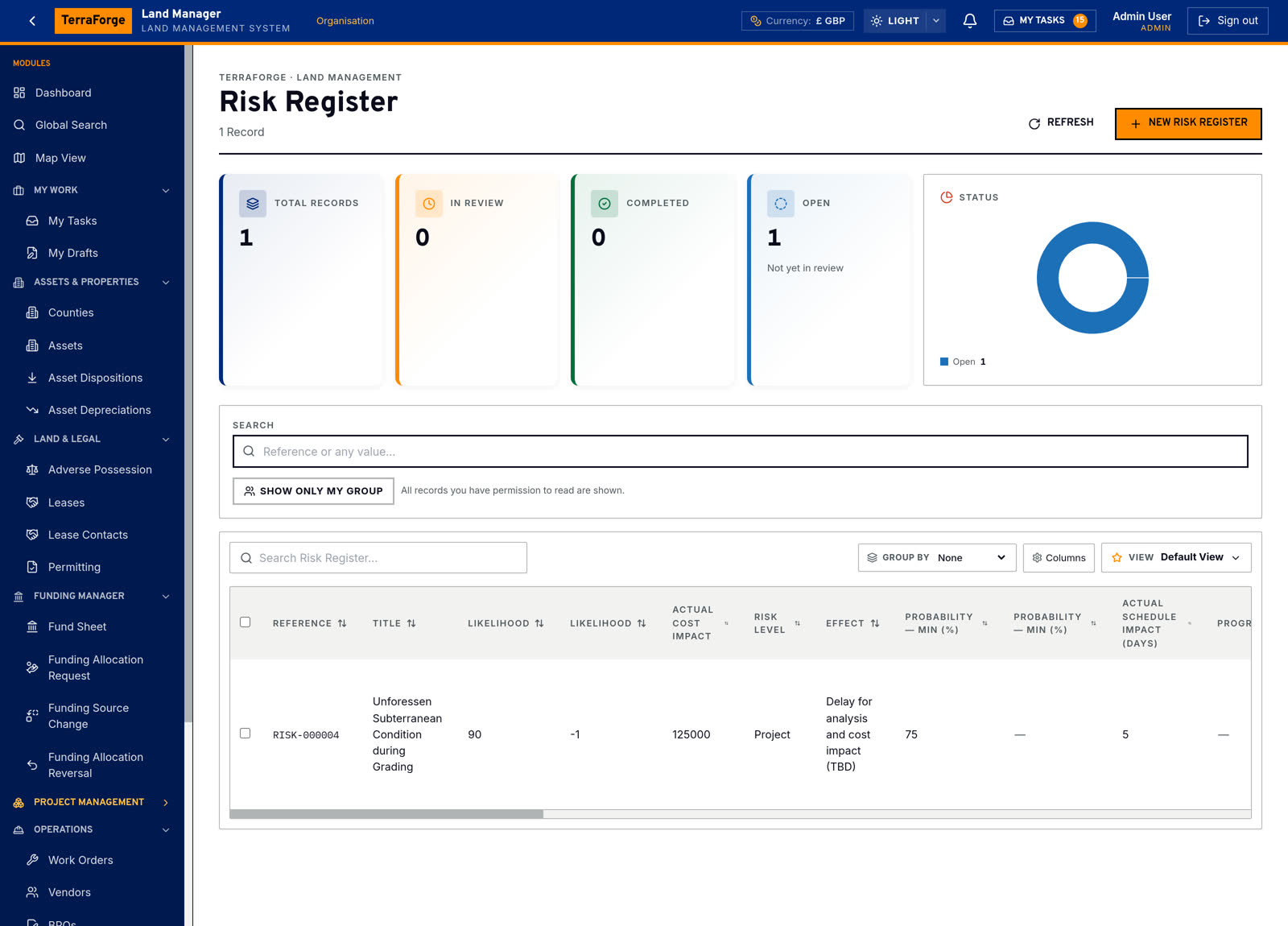
RFI, Daily Report, Site Incidents, Submittals / Submittal Packages and the Risk Register are Field Management — Designer-published apps on the same platform as the Cost Sheet. They inherit record numbering, security groups, a drillable dashboard and the API. Ball-in-Court still lands in My Tasks.
Field Management sits on the same platform as the Cost Sheet. Compliance is in the same inbox, not a mailbox after the event. The builder that publishes them lives on Configure — on purpose. You extend the set the same Tuesday you publish any other app. Work orders and master agreements stay under Maintenance.
RFI
Daily Report
Site Incidents
Submittals / Submittal Packages
Risk Register
Reporting & custom output
Compose the report. Publish the output. Every export is in the audit log.
Owner-side reporting that depends on a BI project is how the monthly pack becomes a cottage industry. Mail merge that depends on a consultant’s Crystal report is how a notice letter takes a week.
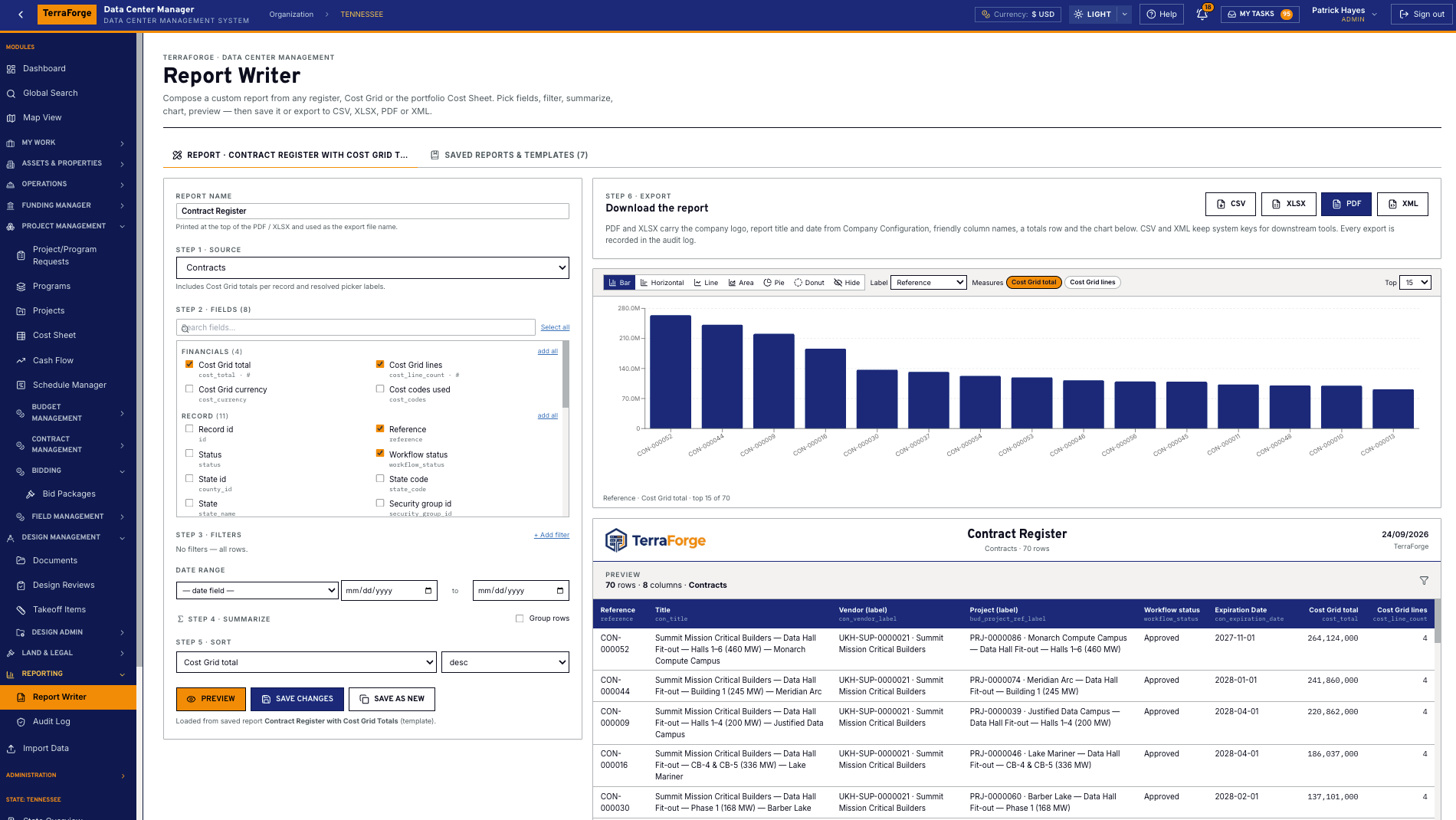
TerraForge Report Writer composes a custom report from any entity in the system: pick the source, tick the fields, add filters, chart, sort, preview. The demonstration is a contract register for an HPC programme, in US dollars — value by contract type, then the lines. Export CSV, XLSX, PDF or XML. Every export is recorded in the audit log.
Custom output
Print and export layouts — including mail merge — are configured in Designer and published with the app. The same writer runs on Funding Sources, a leases business process, or the app an administrator published last week. The designer tools themselves are on Configure.
See the full PMIS against your campus programme.
Your cost codes, your workflow, your campuses. Write sales@terraforge.build.