
Solutions · AI & data center builds
Modern PMIS for AI Data Center Builds
Demonstration environment
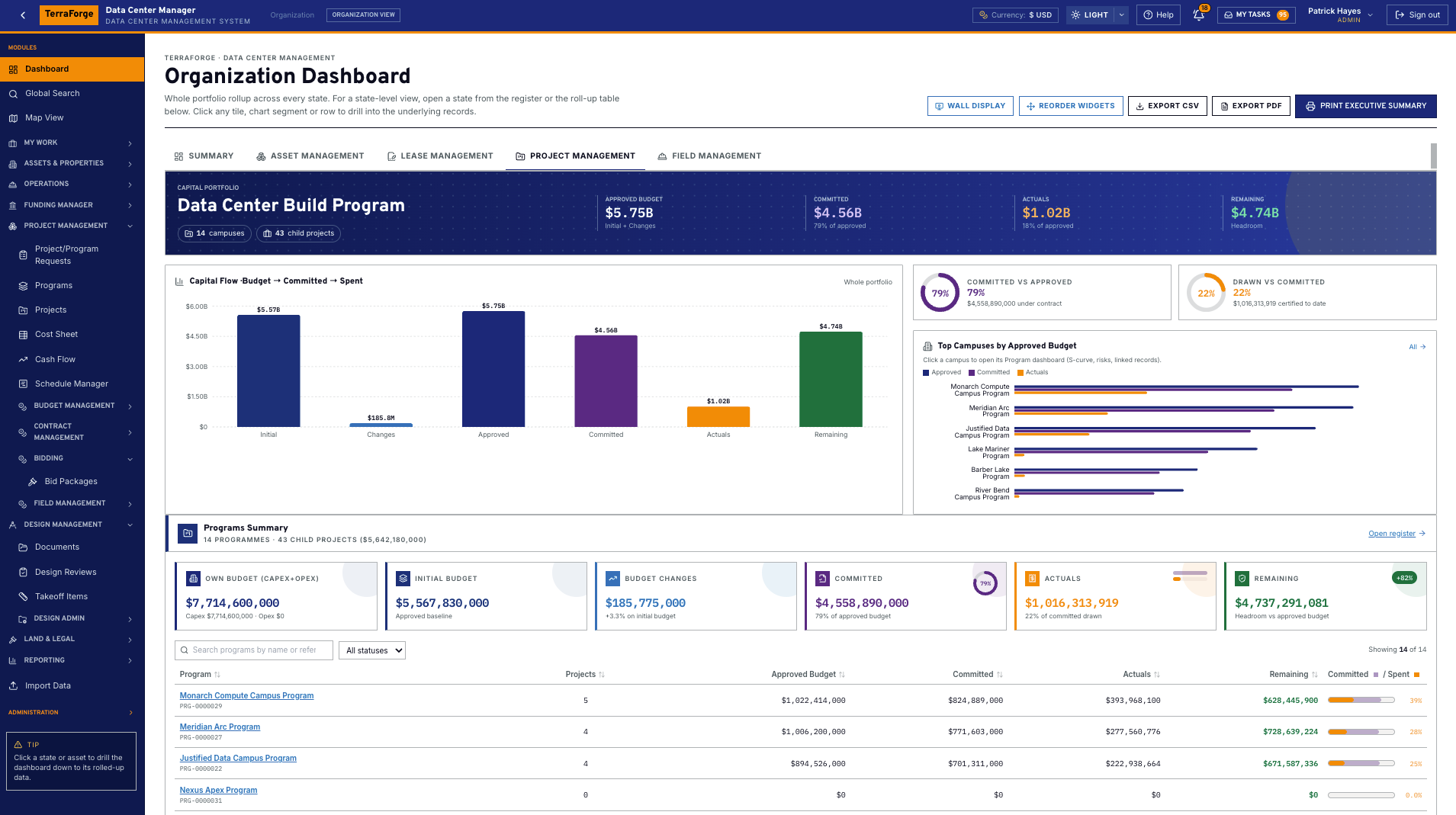
- Approved budget
- $5.75B
- Committed
- $4.56B
- Campuses
- 14
- Child projects
- 43
- States lit
- 10
Data Center Program, Project & Portfolio Management — the demonstration tenant. $4.56B of the $5.75B approved budget is committed. Actuals sit at $118.8M. Fit-outs are MW-scale, including a 168 MW data hall phase. These figures describe that tenant.
Owner-side PMO
Built for owners who carry the schedule risk.
Energization is the date that matters, and the owner carries the exposure between the campus build and the power build. TerraForge is the owner PMIS for that exposure — portfolio, programme and project on one set of records. It does not clear an interconnection queue, and it does not shorten a lead time.
01
Every megawatt, on one schedule of record.
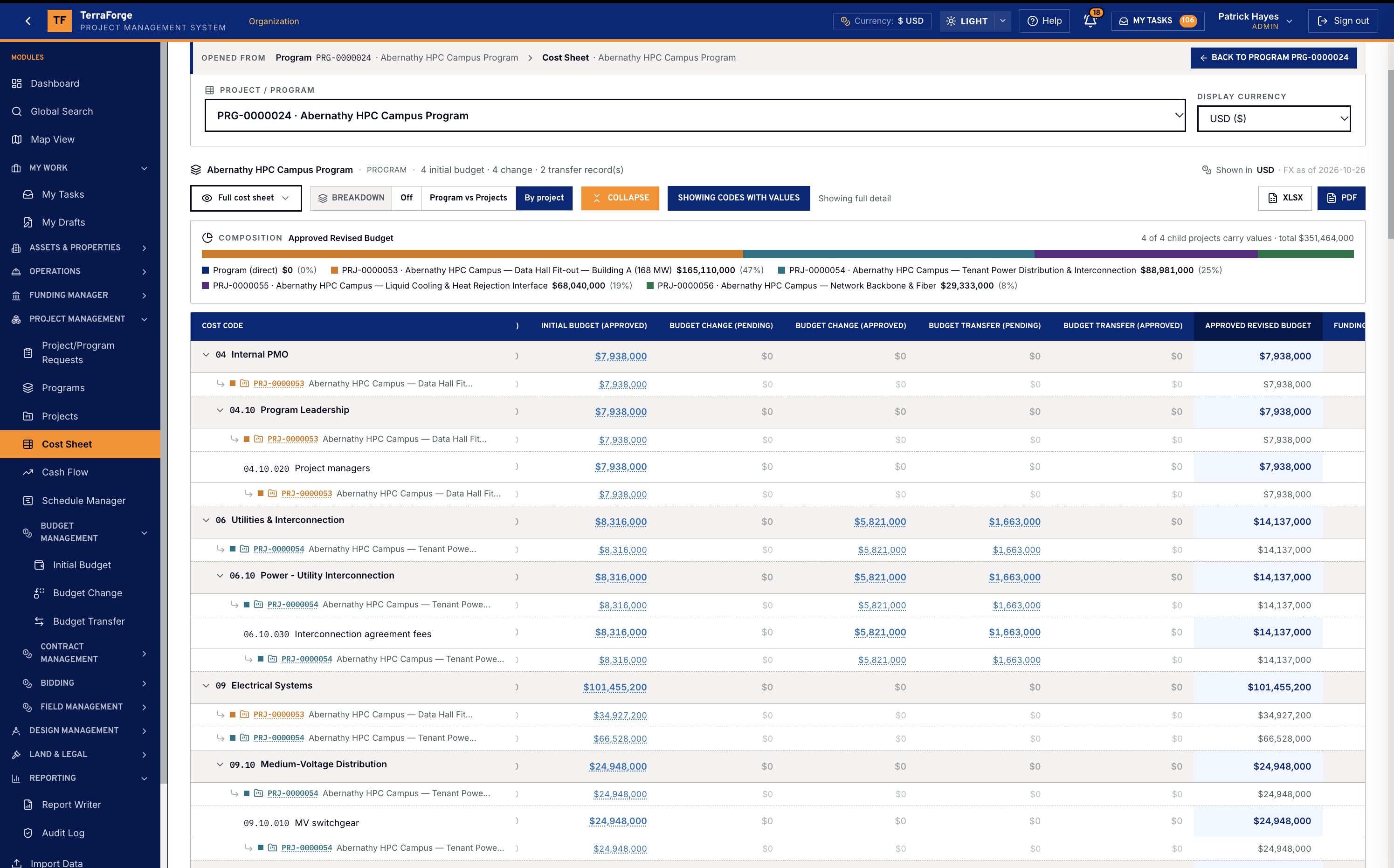
Schedule Manager holds the critical path, the baseline and the float on the programme or the project. The portfolio dashboard reports that finish. Primavera P6 comes in by XER or XML and updates in place; keep the TerraForge baseline and slippage is computed here. The utility’s date stays the utility’s. You can see it on the same schedule as the hall.
Schedule of record02
Control the long-lead path before it controls you.
Transformers, switchgear and generators move on their own clock. A submittal can hold lead time, anticipated delivery and actual delivery, and be flagged critical path. The schedule activity can carry the cost code. Cash flow can take its months from those dates and shows drift when they move. A late delivery shows up as slippage and as a draw.
Long-lead on the record03
Roll up every campus, phase, and hall.
The organisation cost sheet rolls the programmes. A programme cost sheet breaks down by project. The project sheet is the cost codes — pending and approved apart. The portfolio dashboard reads budget, committed, spent and forecast at completion from those records. The risk heat map reads the risk register. State dashboards scope the same picture.
Portfolio, programme, project04
Find any record. Open it. Come back.
Most legacy PMIS make you hunt module by module. Global Search finds an asset, a project, a schedule, a drawing or a contract — and every other register and published custom app — then opens the live record and returns you to the results.
Global Search05
Give PMO and finance the same numbers, every week.
Freeze a cash-flow baseline and compare the forecast to it. Take a snapshot of the project or the whole portfolio — label it for the board pack — and compare it with the live plan. Actuals are approved payment applications. Forecasted total cost on the cost sheet is the figure the pack exports.
Cash flow and the board pack06
From first award to handover, under owner control.
A bid package prices a frozen bill of quantities, seals the returns, and drafts the contract from the award. Drawings keep every revision. Takeoff and the bid pin to the revision issued for takeoff, and compare shows what moved when density or cooling changes the design. Closeout submittals — O&M manuals, warranties, as-builts — stay on the project with the permit and the daily report.
Bid through contract
- Owner-side PMO
- Portfolio roll-up
- Global Search
- Programme controls
- Long-lead visibility
- Cash flow forecasting
- Change control
- Multi-phase delivery
- Schedule of record (P6)
The exposure
When energization is the date that matters.
Time to power is not a construction duration, and a moved energization date is a financing problem as much as a site problem. TerraForge gives the owner’s PMO one place to see that date, the commitment on the long-lead gear, and the cash-flow consequence. It does not get a project through an interconnection queue. Turnkey for day one — campuses, cost codes, schedules, bids and field records ship with the product. App Builder is how the programme team publishes the next form after go-live.
The operating loop
From the campus to the inbox.
This is the PMIS. Portfolio and GIS, funding, the Cost Sheet, programmes and projects, schedule and field, App Builder, the Bidder Portal, Global Search and My Tasks. The Operations Wall is the presentation surface for the same records.
01
Portfolio & GIS
Campuses, data halls, substations and generator yards. In the US data center configuration, State holds utility, ISO and megawatts. Map View drills from state to asset, programme and project. Most legacy PMIS bolt the map on.
02
Cost Sheet
Diesel and gas generators, server racks, rack PDUs, chillers and CRAC, MV switchgear, cooling towers, liquid cooling and heat rejection.
03
Programmes & projects
The capital job under the campus. WBS, contracts, change and the approved budget in one hierarchy.
04
Schedule & field
Primavera P6 by XER or XML, updated in place. RFIs, incidents and permits on the job — with long-lead delivery dates and energization on the record.
05
Funding Manager
Colors of money — corporate capex, debt, grant, partner equity, operating budget — kept distinct from the Fund Sheet through to the programme or project.
06
App Builder & workflow
The programme team publishes the process on a Tuesday. Conditional paths. Ball-in-Court lands in My Tasks.
07
Bidder Portal
The tender sits on the same platform as the contract it will become.
08
Global Search & My Tasks
One search across every register and every published app. Find an asset, a project, a schedule, a drawing or a contract, open the live record, and return. Most legacy PMIS cannot.
Cost Sheet
The programme sheet rolls up from the child projects.
Programme Cost Sheet rolls up from child projects — Initial, Changes, Transfers, Revised. Most legacy PMIS stop at the project sheet. Abernathy HPC Campus Program is the demonstration: the composition bar is those child projects summing into Approved Revised Budget.
Diesel and gas generators. Server racks. Rack PDUs. Chillers and CRAC. MV switchgear. Cooling towers. Liquid cooling and heat rejection. Those codes roll on the Cost Sheet with everything else in the WBS — pending and approved in their own columns, dated FX from Company Configuration.
Funding Manager is the money-in side, not a note on the cost sheet. Sources keep their type — corporate capex, debt, grant, partner equity, operating budget — through allocation to a programme or a project, a source change, and a reversal. The Fund Sheet is the portfolio view. Budget versus funding shows on the cost sheet at each level. Cash Flow Manager ties an S-curve to an approved column.
Schedule & field
Energization is a date on the job, and an RFI in the inbox.
Utility capacity phasing, fiber for CDU racks, heat-rejection loops, UPS lead times and energization dates are schedule, risk and field at once. The RFI, the daily report, the incident and the submittal are Field Management — numbered, workflowed, and in My Tasks with the payment application.
The Bidder Portal runs the tender on this platform, so the contract it becomes is already in the same hierarchy. Field on the product tour.
Portfolio & GIS
State, campus, hall, substation — then the pin opens the record.
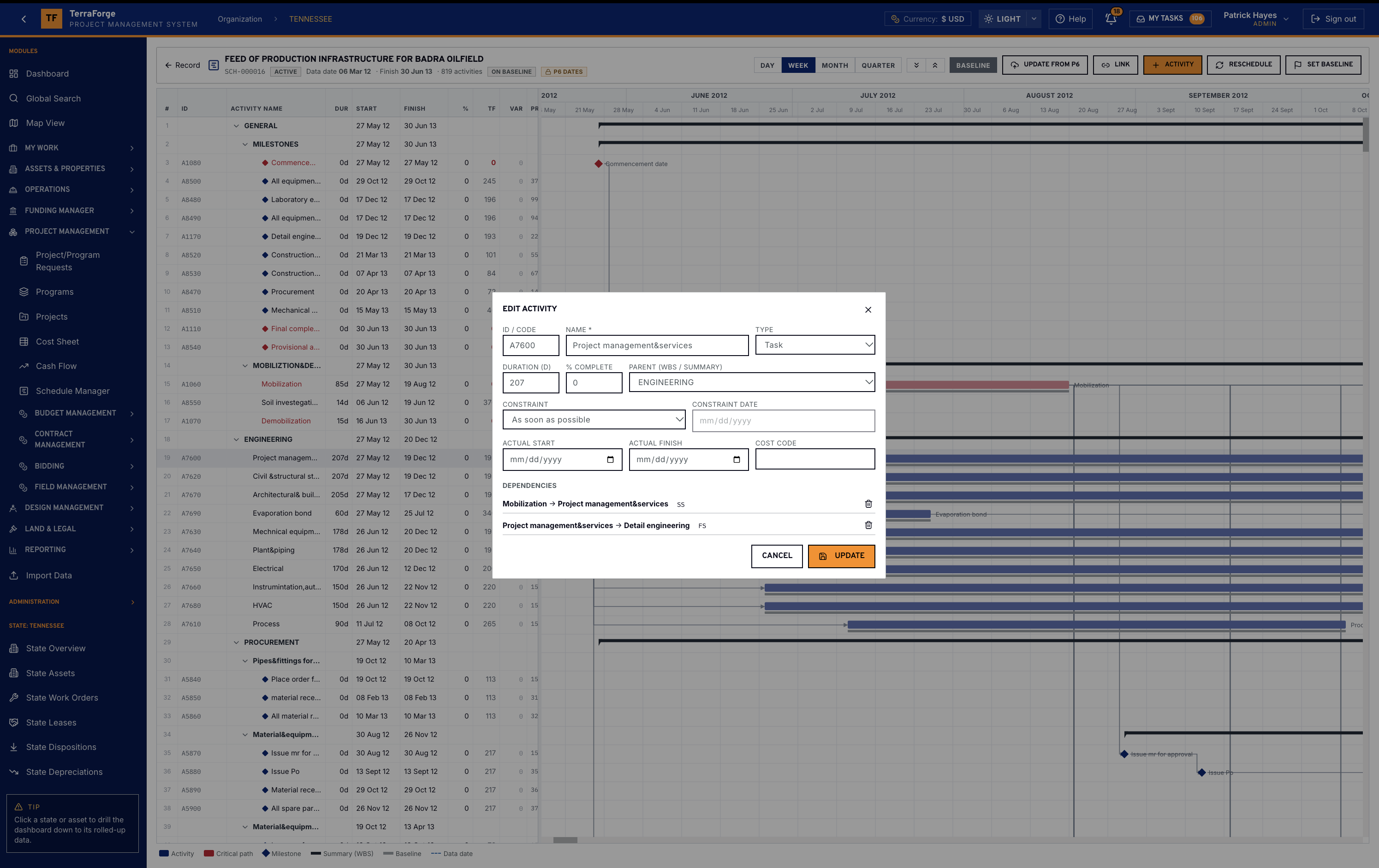
In the US data center configuration the branded portfolio level is State: utility, ISO, interconnection status, and contracted megawatts against operational megawatts. Asset categories include campus, data hall, substation and generator yard. The facility profile holds cooling, white space and racks, and rolls to the state dashboard.
After energization the same asset carries the work order, the vendor and the blanket purchase order. Completing a work order charges the BPO once. Global Search finds a campus ID, a cost code, a contract number or an RFI.
Operations Wall
Presentation mode for the room. The PMIS underneath.
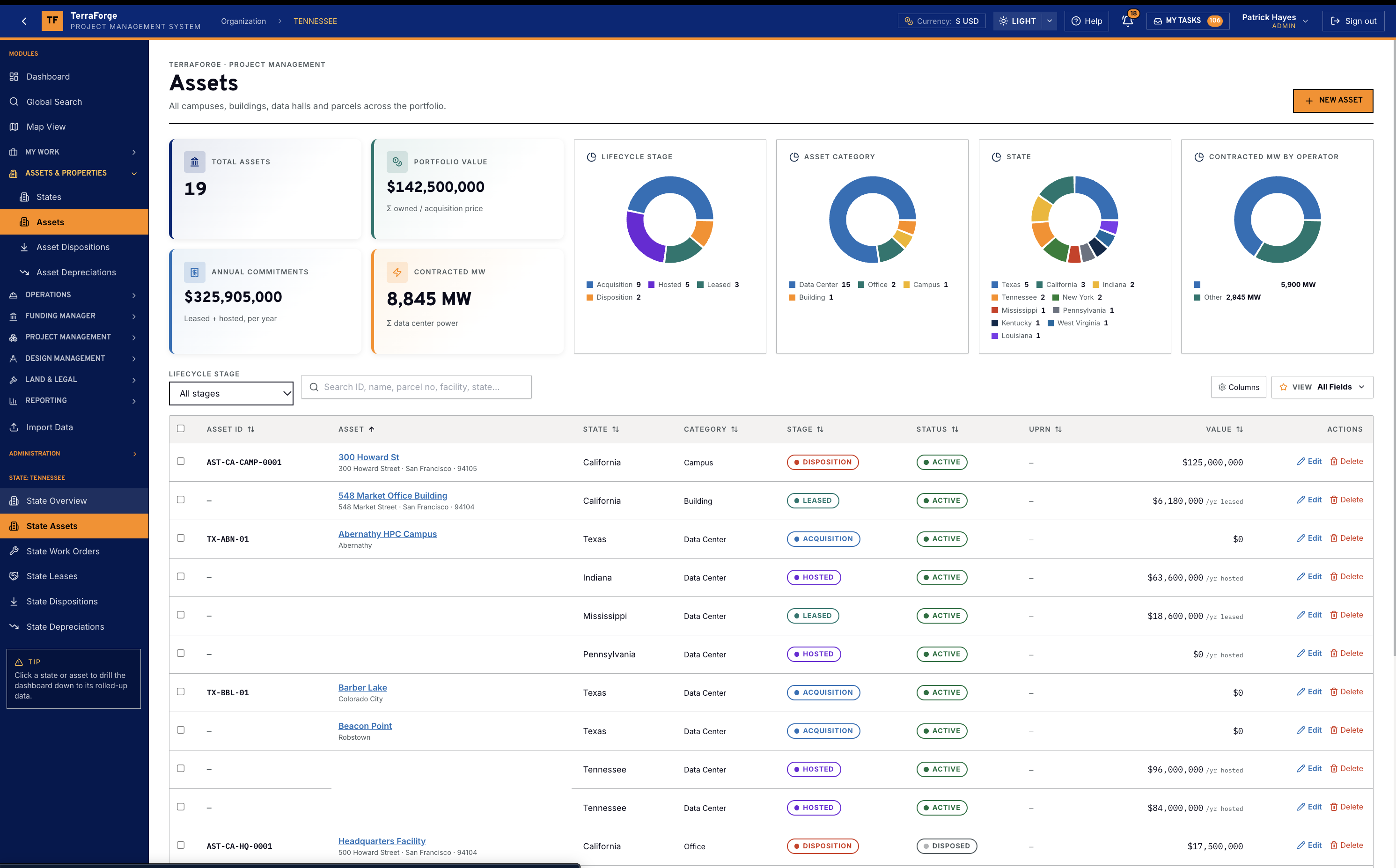
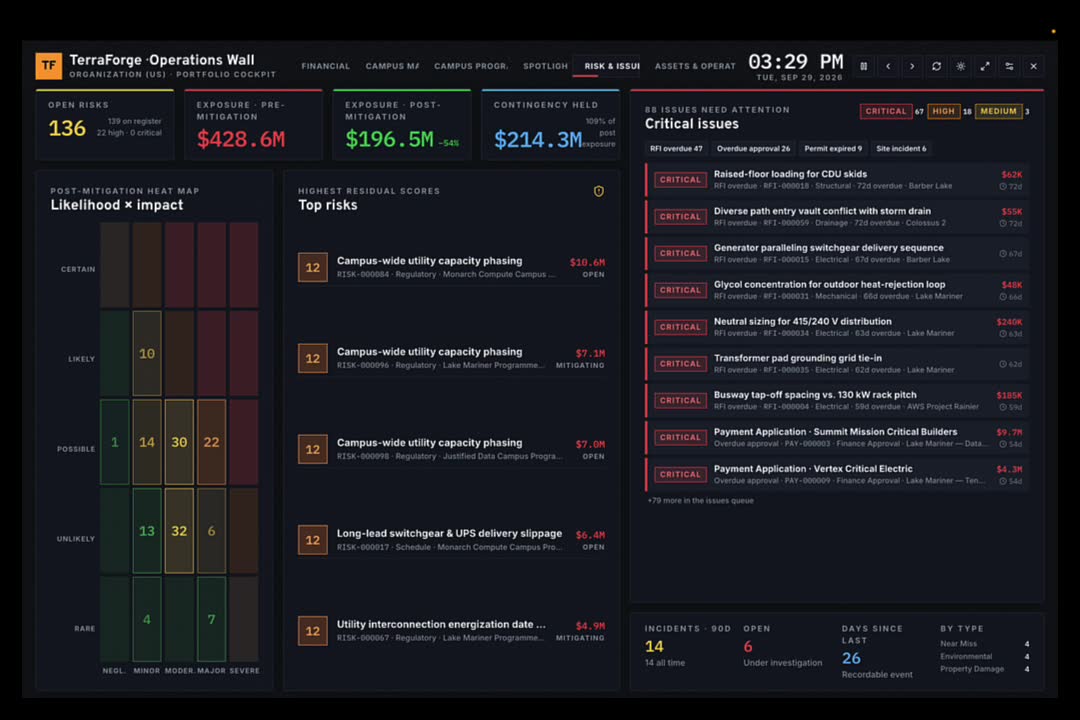
Presentation mode auto-rotates Financial, Campus Map, Campus Programmes, Spotlight, Risk & Issues, and Assets & Operations. Dark UI. Command-center oversight for a portfolio review.
It is a dashboard. Funding still lives in Funding Manager. Cost still lives on the Cost Sheet. The campus still lives on the asset. Field still lives in the RFI. App Builder is how you add the next business process on a Tuesday — Configure.
See the full PMIS against your campus programme.
Your cost codes, your workflow, your campuses. Write sales@terraforge.build.