
01
One schedule, two seats
The planner updates P6. The owner reads Schedule Manager, including critical path and baseline.
Primavera P6
01
The planner updates P6. The owner reads Schedule Manager, including critical path and baseline.
02
Import an XER or Primavera XML, then update that schedule in place. Activities match on the P6 ID.
03
Update from P6 sits on the schedule the programme dashboard already reads.
How it connects
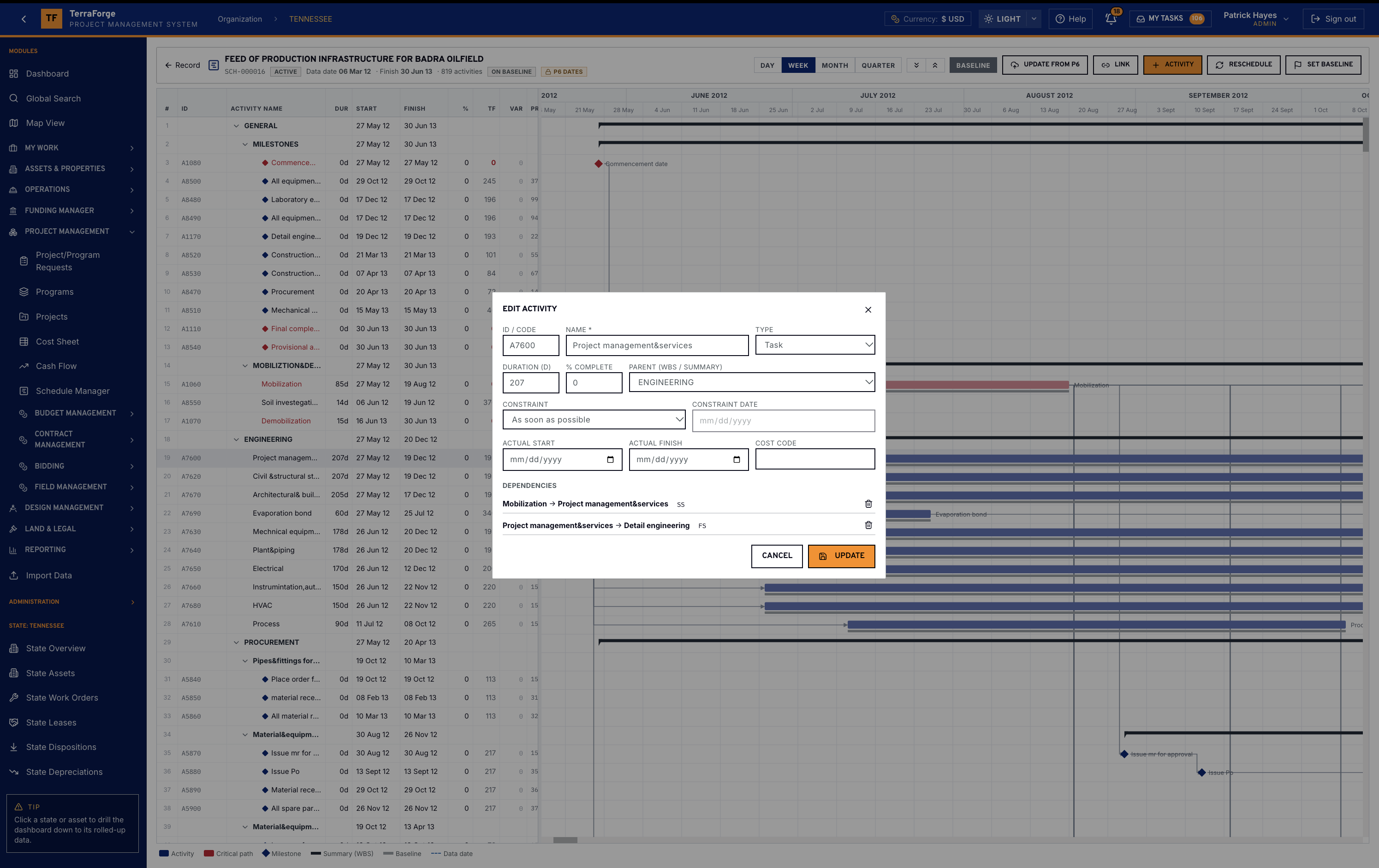
Update from P6 is the button on the planner. It re-imports a newer XER or Primavera XML into this schedule. Activities match on the P6 ID: changed dates and progress are applied, new activities are added, and missing ones are flagged. Nothing changes until the import is confirmed. Keep the TerraForge baseline and slippage is computed against it.
The same bar sets the baseline, toggles the grey baseline bars, links activities, adds one, or reschedules. Edit activity holds duration, percent complete, the parent WBS, the constraint, the actual dates, a cost code and the dependencies. Open REST and signed webhooks are the integration surface for other systems. They are not a live two-way link to P6.
The programme team owns it. Same navigation at portfolio, programme and project. Same My Tasks inbox. App Builder publishes the next step on a Tuesday, without a vendor ticket.
What the owner does with it
UPS lead time, utility phasing and energization are visible as activities with float. A programme manager compares projects in the campus on the same Gantt language.
The portfolio cockpit can surface the consequence in a review. The schedule record stays in Schedule Manager.
What ships
Your cost codes, your workflow, your campuses. Write sales@terraforge.build.