
01
The portal is their sign-in
The invitation opens a screen where the bidder sets a password. Name, company and prices stay with the owner.
Bidding
01
Draft
Title, programme or project, currency, close time. Build the bill of quantities from takeoff or by hand.
02
Issue
The invitation names the package and the due time, with Open the bid portal. Documents go with it. The bill freezes.
03
Price
Bidders type rates in the portal. Prices stay sealed. Questions are labelled owner or bidder, never a name.
04
Close
Late submissions refused. The comparison matrix opens. Only submitted bids are priced.
05
Award
One winner. Draft contract in My Drafts, or negotiate line by line. Approval creates one contract.
01
The invitation opens a screen where the bidder sets a password. Name, company and prices stay with the owner.
02
Until close the owner sees Opened or Submitted, not figures. After close, submitted bids compare side by side.
03
Award drafts the contract from the submitted lines. A negotiation, once approved, creates exactly one contract.
Bidder portal
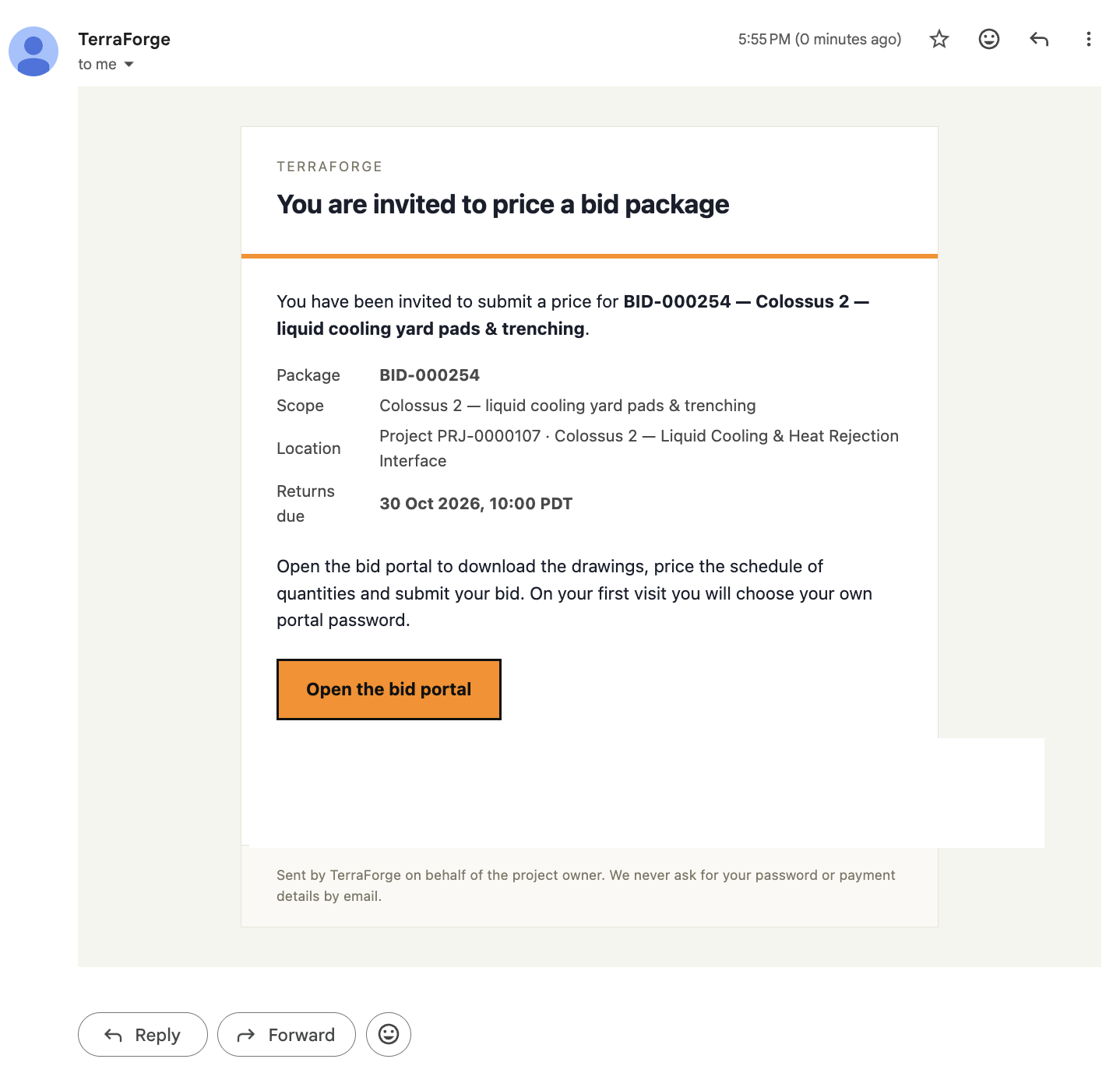
Issuing the package sends the invitation. It names the package and the reference, the project, and when returns are due. On this demonstration the reference is BID-000254 and returns are due 30 Oct 2026, 10:00 PDT. The button reads Open the bid portal. That opens the package: the schedule of quantities, any drawings the owner has released, and submit.
The button opens the invitation screen, where a first visit sets the portal password. The email does not ask for that password, or for payment details. One password covers later invitations to the same address. If the button fails, the fallback address stays in the email.
The schedule of quantities is the frozen bill, the same quantities for every bidder. Drawings appear when the owner has released them. A bidder prices only their own lines. Questions are one shared thread: answers go to every invited bidder, and the name stays off the thread. While the package is open the owner sees Opened or Submitted. Close opens the comparison. A receipt records the submission and a fingerprint of the figures.
The programme team owns it. Same navigation at portfolio, programme and project. Same My Tasks inbox. App Builder publishes the next step on a Tuesday, without a vendor ticket.
First visit
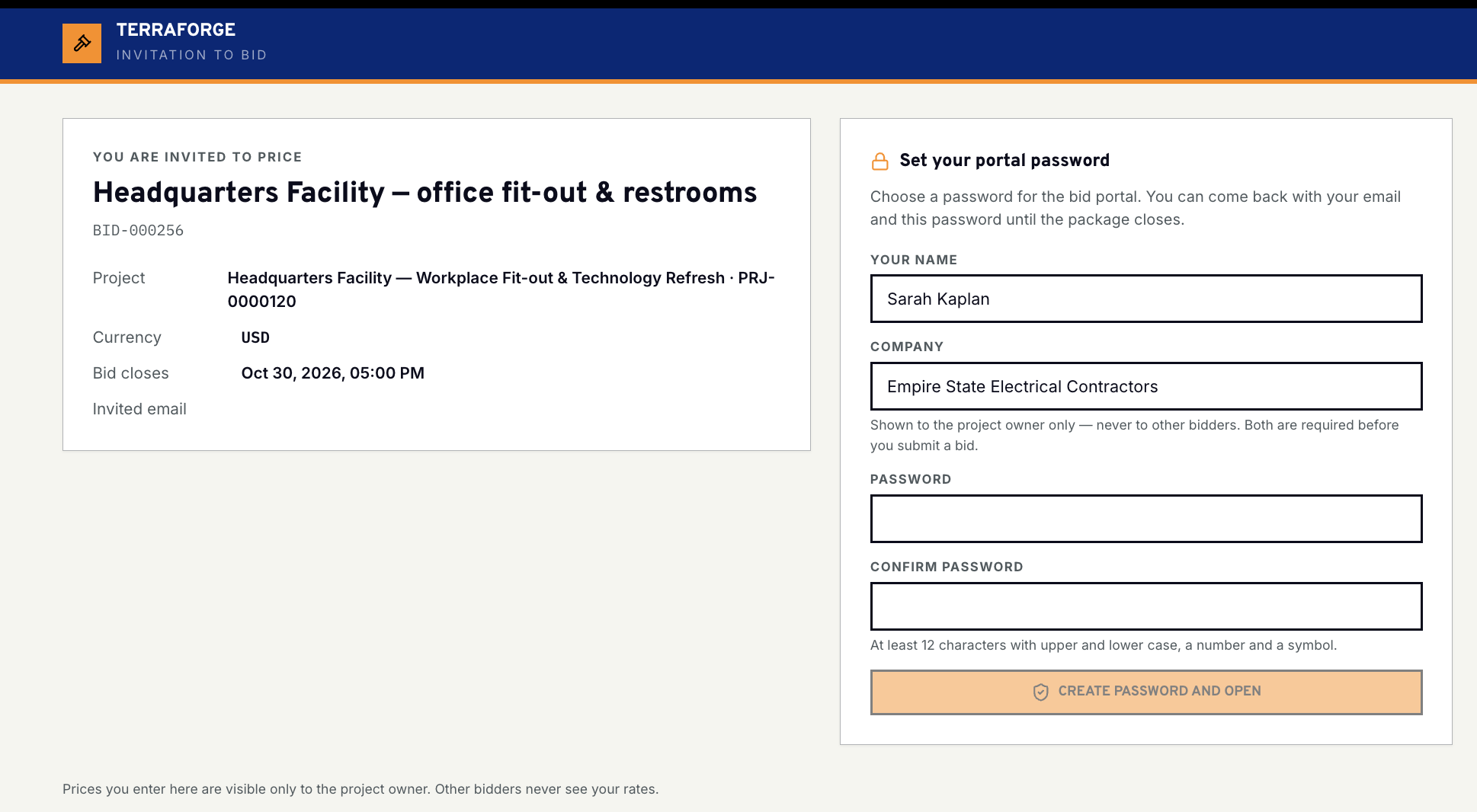
The invitation opens on this screen. TerraForge, invitation to bid. The package, the project, the currency and the close time sit on the left. On this demonstration that is BID-000256, Headquarters Facility, closing 30 Oct 2026 at 5:00 PM.
A first visit sets the portal password: at least 12 characters, with upper and lower case, a number and a symbol. Create password and open signs them in. They come back with the invited address and that password until the package closes.
Name and company are required before submit. Both are shown to the project owner only, never to other bidders. Prices entered here are visible only to the project owner. Other bidders never see the rates.
Pricing
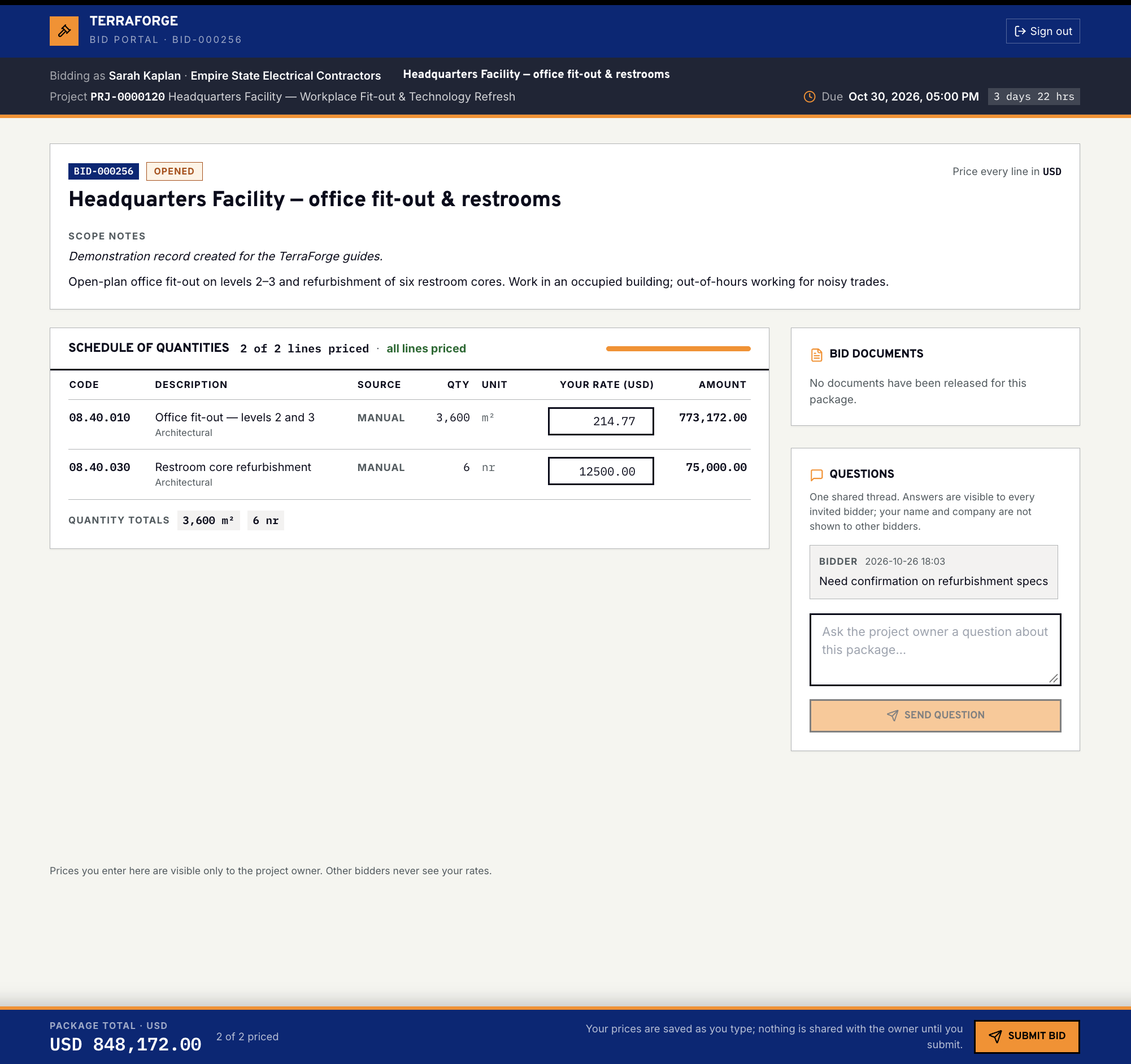
After the password, the portal is the package. This demonstration is BID-000256, Headquarters Facility, still open, due 30 Oct 2026 at 5:00 PM. Scope notes describe the work. The bidder’s own bar shows who they are bidding as.
The schedule of quantities is the frozen bill. Quantity, unit and description are fixed. The bidder types the rate in USD. The amount and the package total follow the rate. On this screen both lines are priced and the package total reads USD 848,172. These rows were entered by hand. A line that came from takeoff keeps that source. Prices are saved as they are typed. Nothing is shared with the owner until Submit bid.
Bid documents sit beside the bill. On this package none have been released yet. Questions are one shared thread. Answers are visible to every invited bidder. The name and company on a question are not. The foot of the portal repeats the rule: prices are visible only to the project owner.
Bid comparison
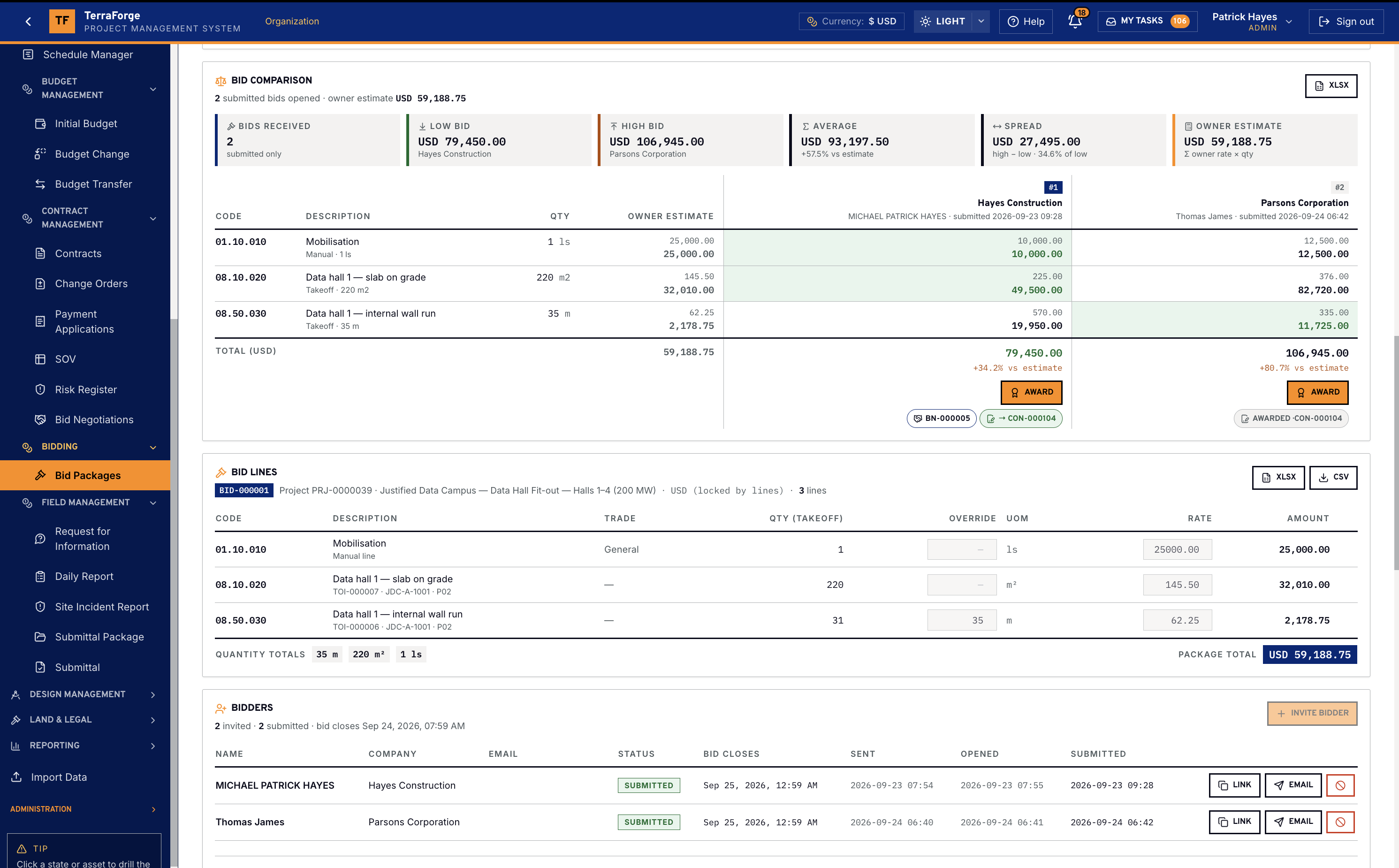
The comparison counts submitted bids and sets them against the owner estimate: low bid, high bid, average, and the spread from low to high. Each bidder is a column. Each row is a line of the bill — code, description, quantity — with the owner estimate and the bidder’s amount. Award sits on the column. The matrix exports to XLSX.
Under the comparison, Bid Lines are the frozen bill. Quantity can come from takeoff, and the takeoff reference stays on the line. Override, unit, rate and amount are on the row. Quantity totals sit at the foot. Bidders are the invitation list: name, company, status, when it closes, and when it was sent, opened and submitted. Invite another bidder from the same record.
On this demonstration package both invitations are Submitted. Award on a column drafts the contract. A negotiation, once approved, creates exactly one contract. Change orders, payment applications and the schedule of values belong to that contract. They are not the tender.
What ships
Your cost codes, your workflow, your campuses. Write sales@terraforge.build.