
01
A versus B is the review
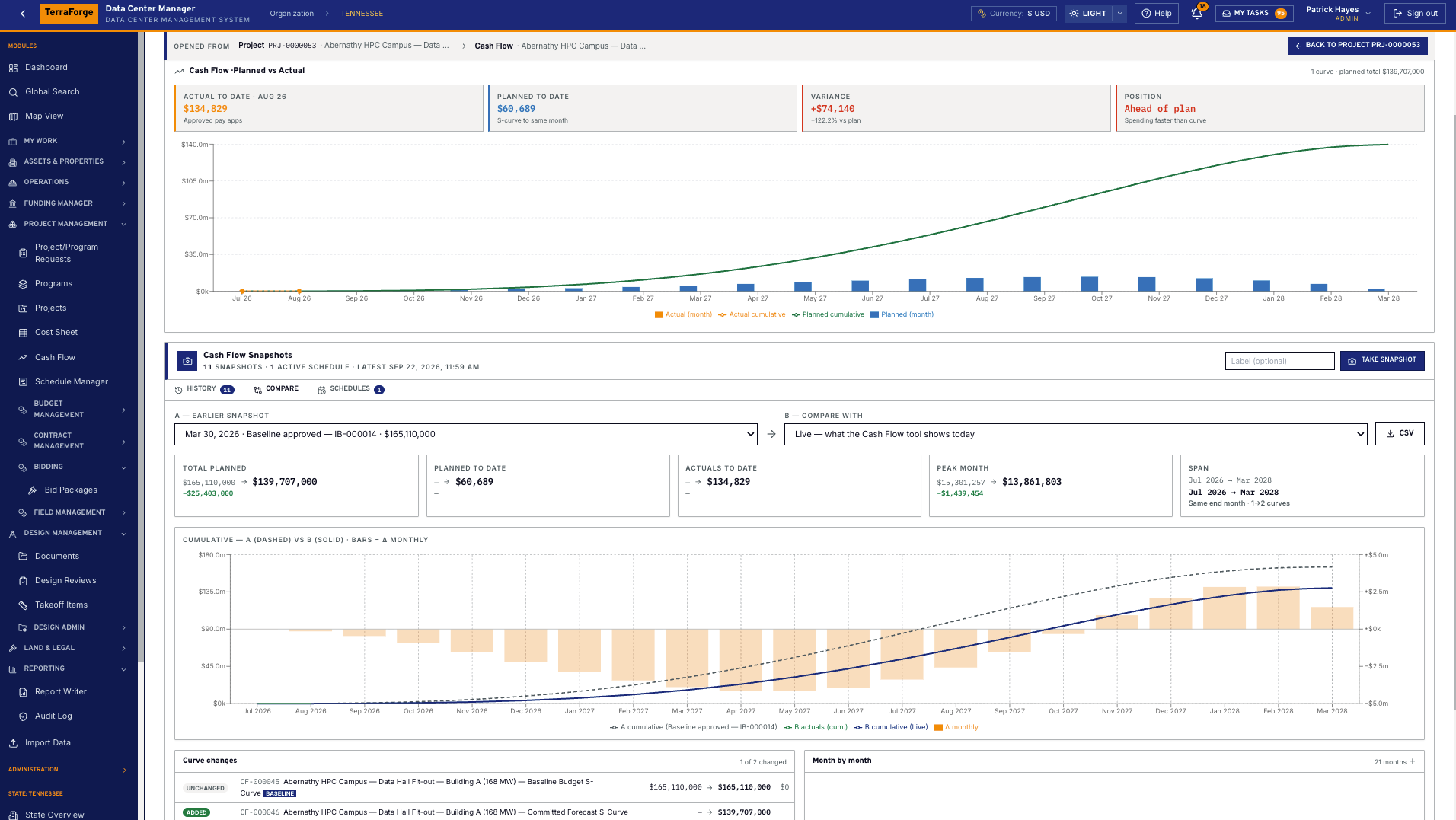
A is a snapshot. B is live, or any later snapshot. The screen shows old to new, with the delta.
Cash flow
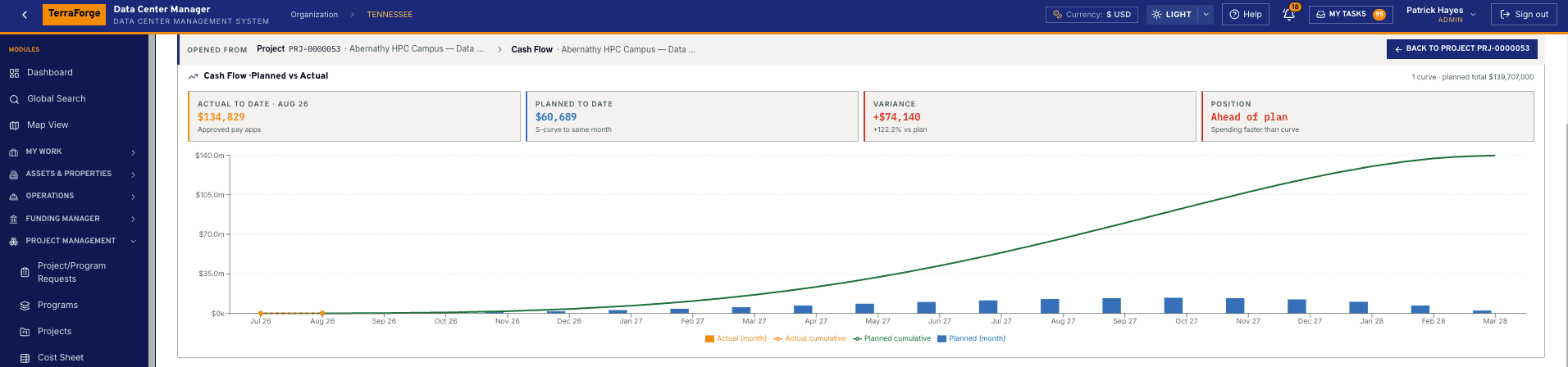
01
Freeze the plan
A baseline curve locks series, span and link. Variance reads against it.
02
Take the snapshot
Every curve on the project, or the whole portfolio. Totals, span, monthly series, actuals.
03
Compare
A dashed cumulative against B solid. Amber bars are the monthly difference, B minus A.
04
Read what moved
Curves added, removed or changed, with their totals. Span end can move a month.
01
A is a snapshot. B is live, or any later snapshot. The screen shows old to new, with the delta.
02
Take one when a budget is approved or a forecast is re-baselined. Name it — Board pack Q3 — or let a schedule take it.
03
Project, cost code or contract. Actuals are approved payment applications. The span can follow the schedule.
Snapshot comparisons
A snapshot stores every curve as it stands. Compare with live, or with a later snapshot. The KPIs on that screen are total planned, planned to date, actuals to date, peak month and span — each shown old to new, with the delta.
The chart draws A’s cumulative as a dashed line and B’s as a solid line, with actuals, and the monthly difference on the right-hand axis. Under it, curves added, removed or changed are listed with their totals. Expand the month-by-month table, or take the comparison as CSV.
A weekly schedule can take snapshots automatically, for one project or organisation-wide, and keep only as many as you set. Delete needs Edit. The label is optional and is how a board pack finds itself later.
The live curve
Pick the level: project, cost code or contract. Link a column — typically Approved Revised Budget — or a contract. S-curve steepness and skew shape a front-loaded procurement or a back-loaded commissioning. Linear spreads the total evenly. Manual is typed month by month and must land on the linked total.
The span defaults to the project’s planned dates. Point it at a schedule, from one activity to another — notice to proceed through substantial completion — and the panel reports drift when those dates move. One click re-aligns. Display currency follows Company Configuration. Export the series as CSV or Excel. The source remains the cost sheet.
The programme team owns it. Same navigation at portfolio, programme and project. Same My Tasks inbox. App Builder publishes the next step on a Tuesday, without a vendor ticket.
What ships
Your cost codes, your workflow, your campuses. Write sales@terraforge.build.