
01
Scheduled value has a parent
It is the contract line plus approved change orders for that cost code. A pending change is listed and not counted.
Contracts
01
Contract
Counterparty, value, terms, retention. Feeds Committed.
02
Change order
Raised on the contract. Only approved changes enter scheduled value.
03
Pay application
Period, amount, workflow. Approval moves completed and stored.
04
Schedule of values
One row per cost code. The place the commercial lead runs the contract.
01
It is the contract line plus approved change orders for that cost code. A pending change is listed and not counted.
02
Completed and stored moves when a payment application is approved. Balance to finish is scheduled minus completed.
03
Held, released and net sit beside the cost code. Click any amount and the records behind it open.
Contracts register
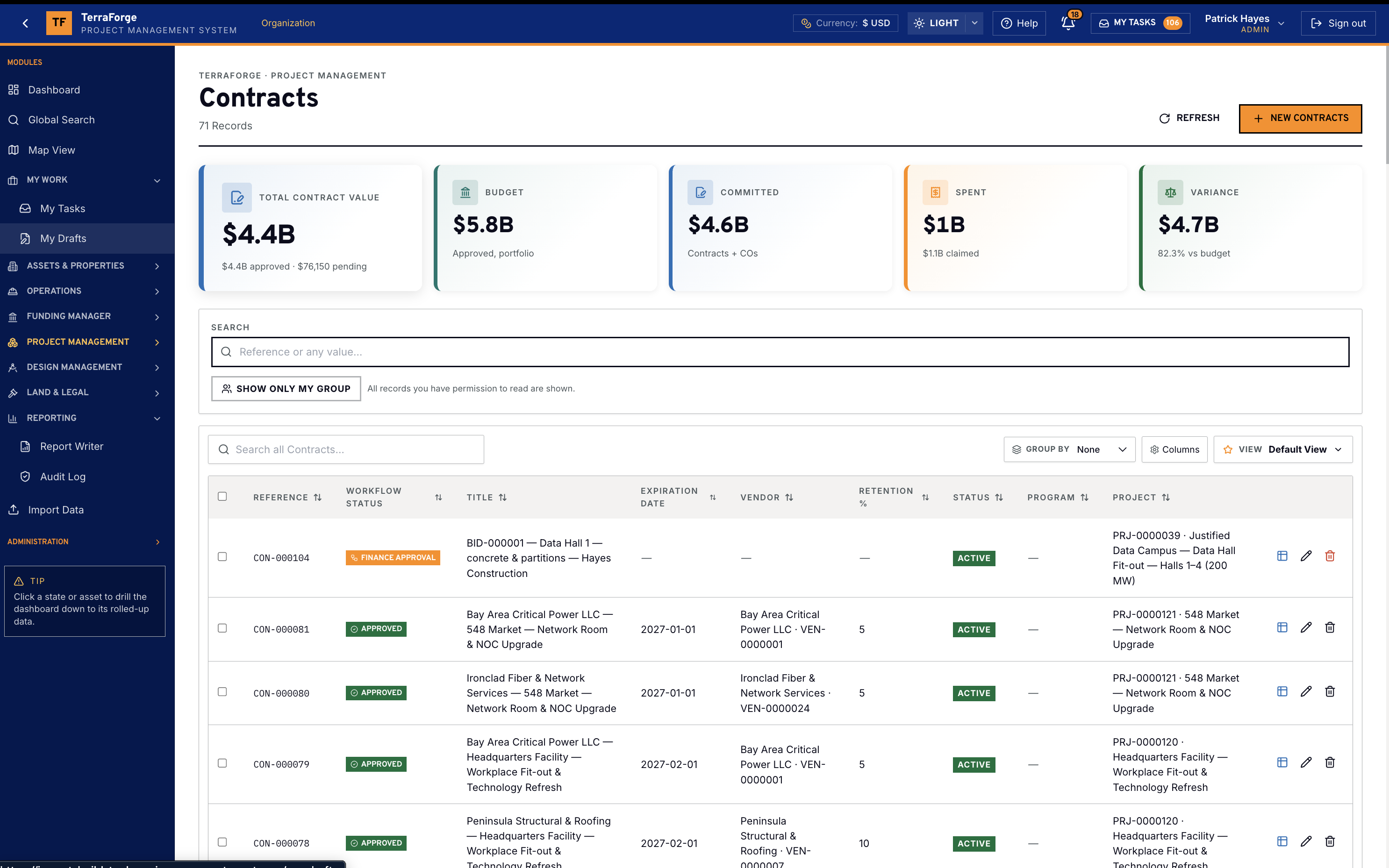
The contracts register is the list behind the schedule of values. Total contract value, approved budget, committed, spent and variance sit on one page, in the organisation currency. On this demonstration portfolio that currency is US dollars.
Each row is a contract on a project: a data hall fit-out, a network room, critical power. Open the row and the change orders, the payment applications and the schedule of values are that same record.
Change orders
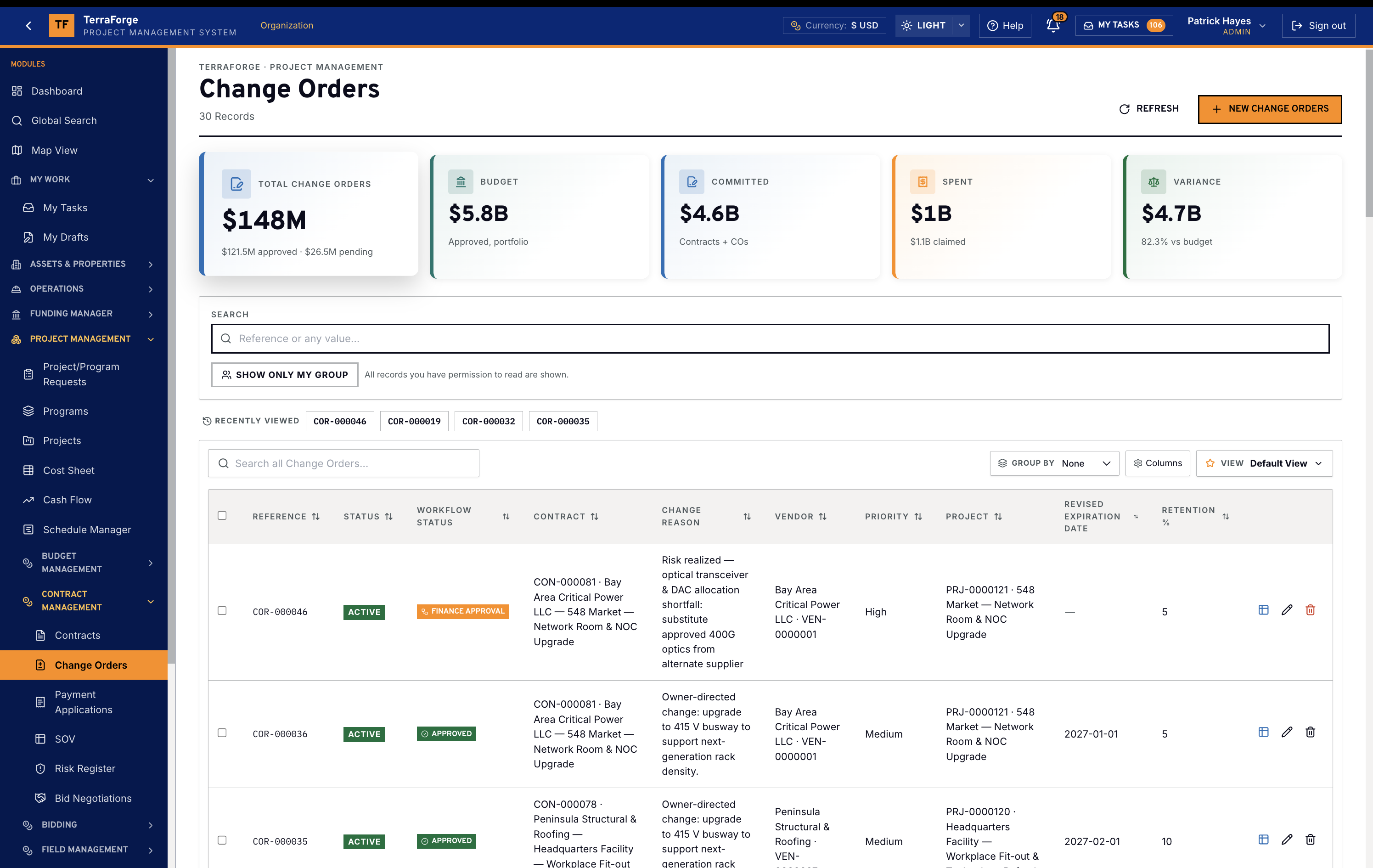
The change-order register is the same family. Status, workflow, the parent contract, the reason and the project. A pending change is listed. An approved change enters scheduled value. It is not a side tracker.
Payment applications
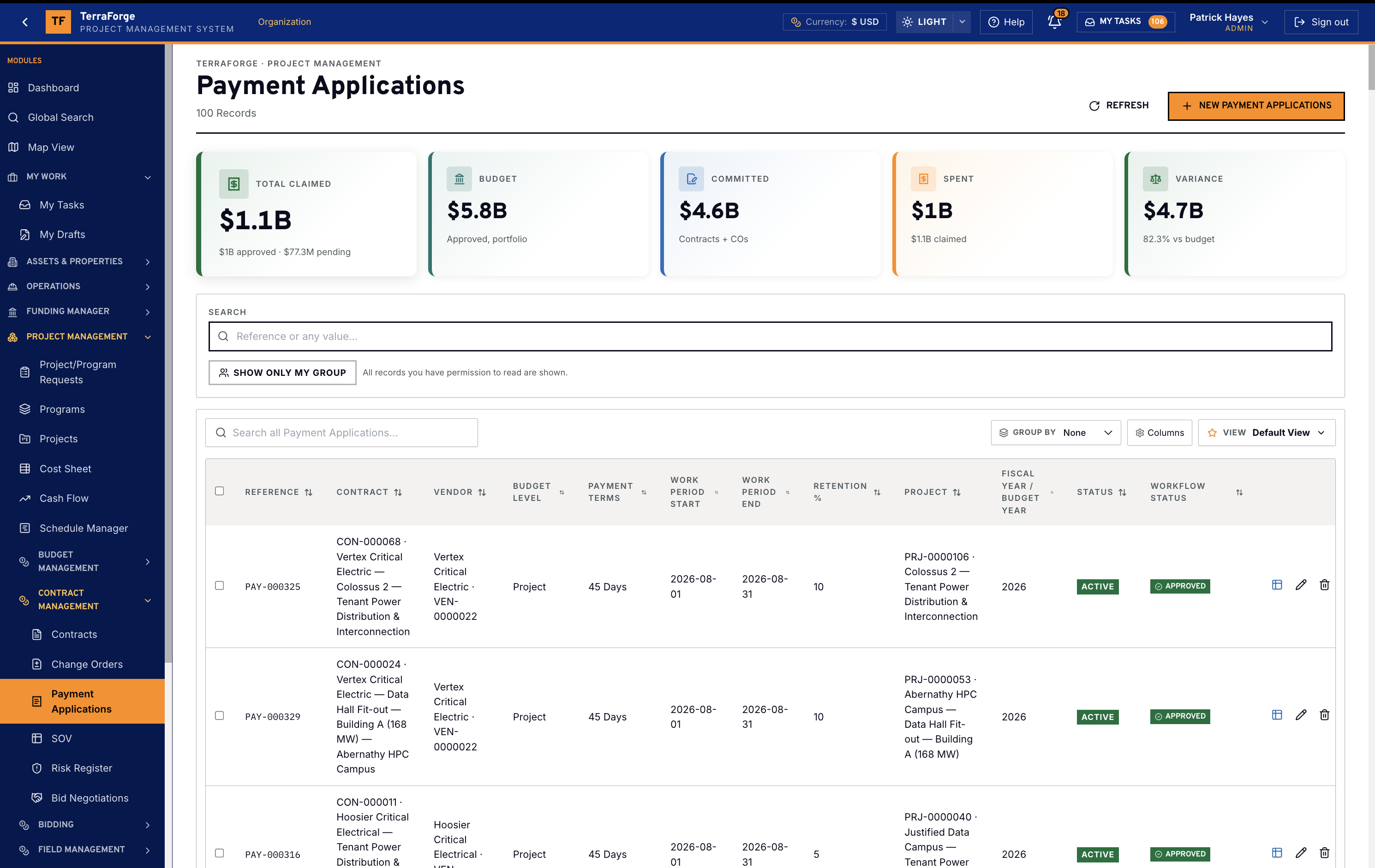
Payment applications are the period claim against the contract. The register shows what is claimed, the budget, committed, spent and variance. Approval is its own workflow. Until that workflow approves the application, completed and stored does not move.
Schedule of values
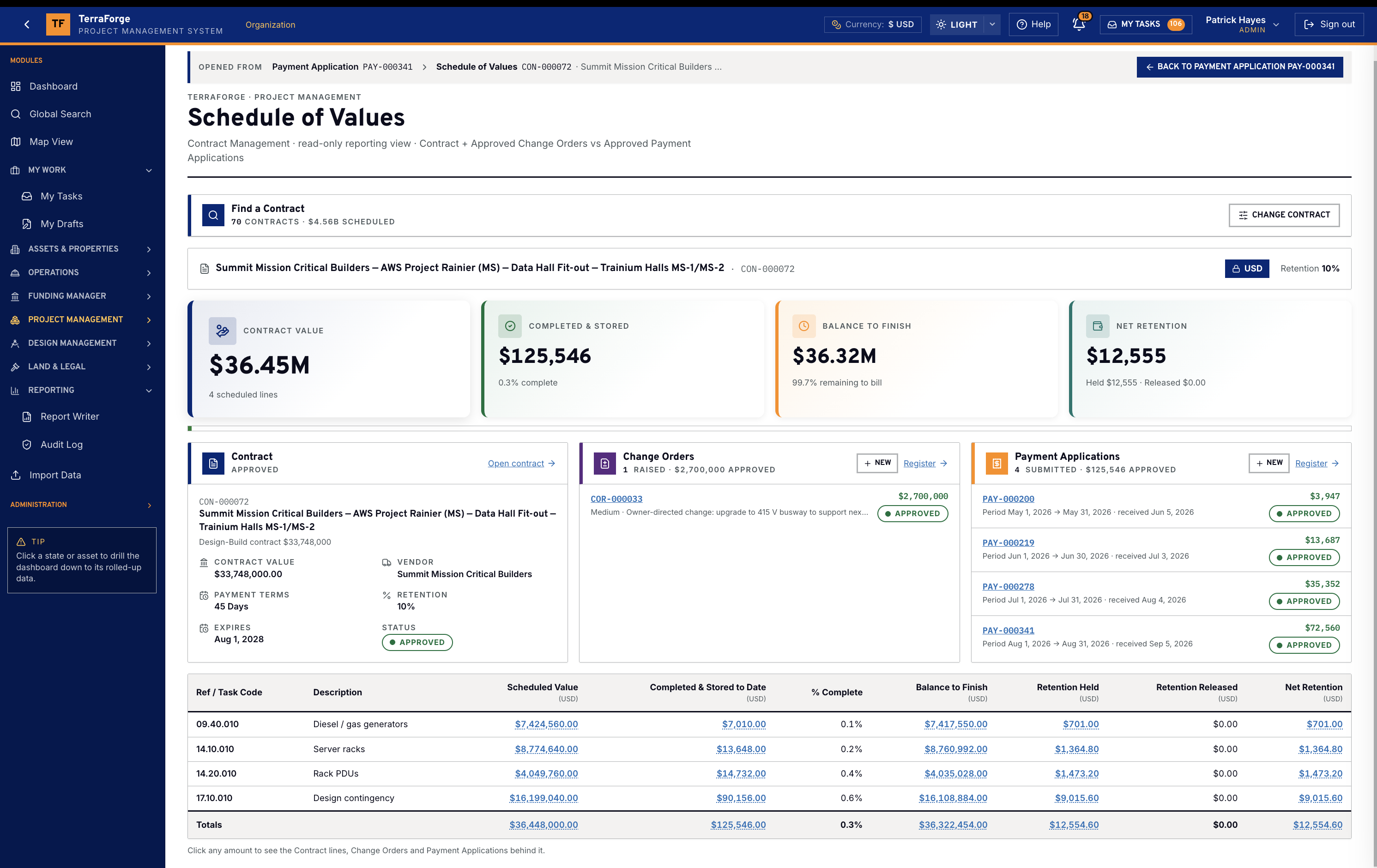
The schedule of values is a read-only view: contract plus approved change orders versus approved payment applications. The header carries contract value, completed and stored, balance to finish, and net retention. Under that sit the contract card, the change orders raised on it, and the payment applications submitted against it.
Each cost-code row shows scheduled value, completed and stored to date, percent complete, balance to finish, retention held, retention released and net retention. A code that exists only on a change order is still a full row. Percent complete above 100 marks the row. A new application cannot over-claim. Every amount drills to the contract line, the change order or the application that made it.
On a data hall the lines are the ones the owner is buying: diesel and gas generators, server racks, rack PDUs, and design contingency. The demonstration frame is that contract, in US dollars. The arithmetic is the product.
On the project
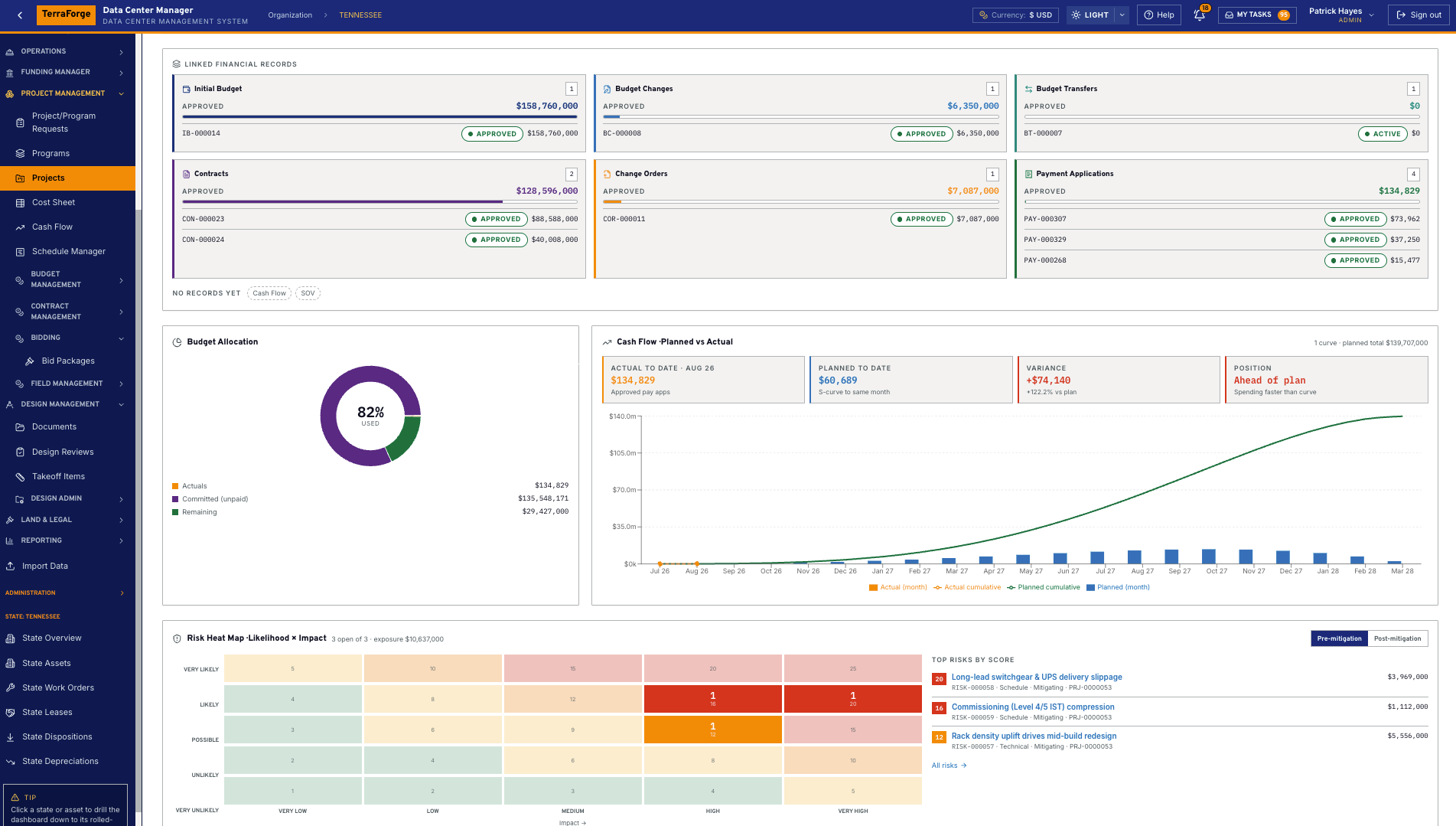
The project dashboard keeps the contract, its change orders and its payment applications in one strip, with budget, cash flow and the risk heat map beside them. Open the change order or the application from the tile. The schedule of values is the same family, not a report someone rebuilt.
A change order is against the parent contract. A payment application draws the period. Both carry their own workflow. Approving one does not approve the other.
The programme team owns it. Same navigation at portfolio, programme and project. Same My Tasks inbox. App Builder publishes the next step on a Tuesday, without a vendor ticket.
Workflow
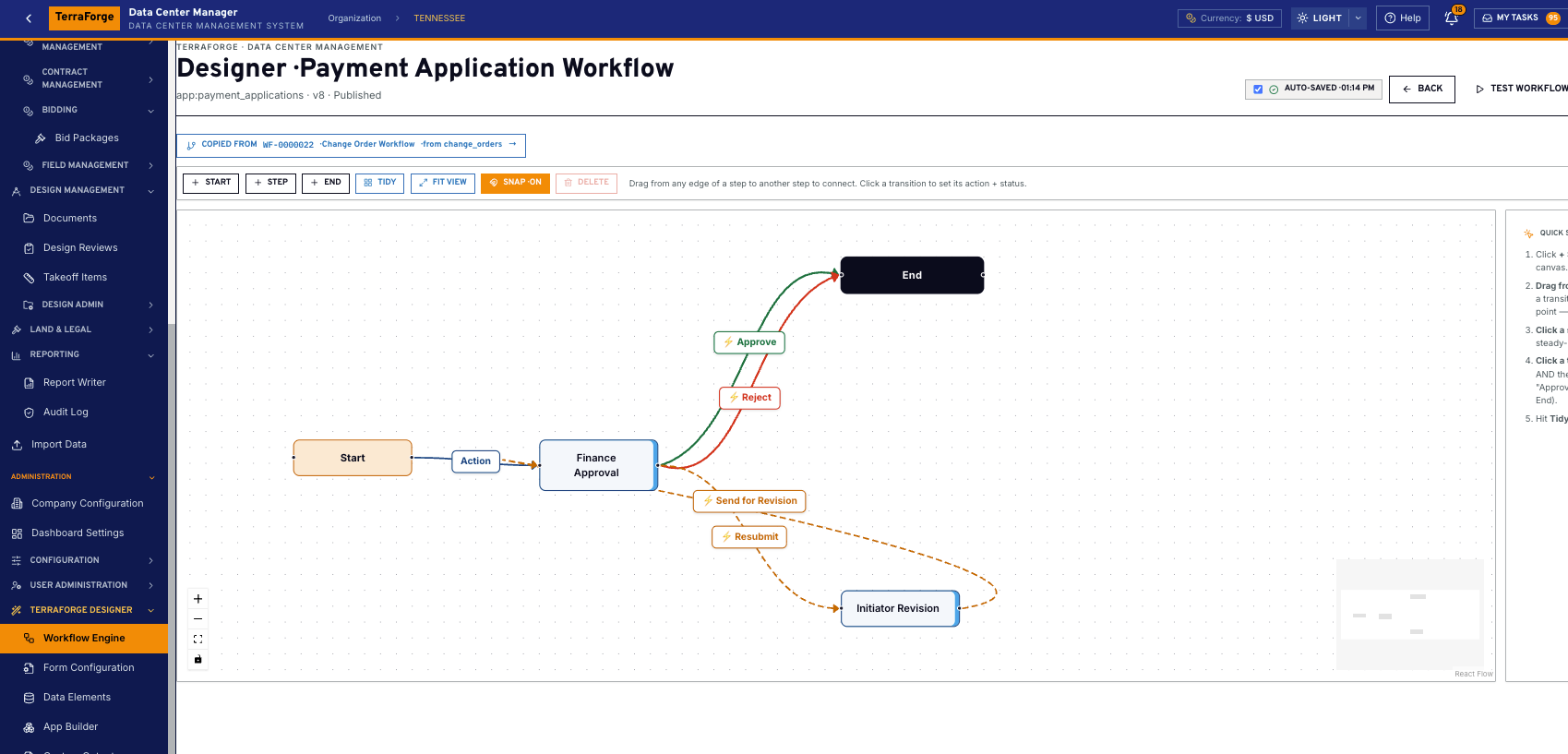
App Builder publishes the payment application workflow: finance approval, reject, send for revision, resubmit. The same designer holds the change order workflow. Ball-in-court lands in My Tasks. The sheet does not get typed over.
When the application is approved, completed and stored moves. When the change order is approved, scheduled value moves. Until then both sit in their pending columns on the cost sheet.
What ships
Your cost codes, your workflow, your campuses. Write sales@terraforge.build.