
01
Scope the container
Programme, project or asset. The register opens on that record, with its folders and its drawings.
Documents
01
Scope
Programme, project or asset. One container at a time.
02
Folder
A nested tree. A template can lay down the standard disciplines. New folder on the container.
03
Drawing
Number, title, discipline. The drawing record does not hold the file.
04
Revision
The issue and the file. P01, P02. Current revision is the newest non-inactive issue by date.
05
State
Work in progress, shared, published, archived. The card shows which one this issue is in.
01
Programme, project or asset. The register opens on that record, with its folders and its drawings.
02
Architectural, structural, MEP, models, specifications, shop drawings, archive. A count on every folder.
03
DWG, DXF or PDF. The revision code. Work in progress or shared, on the thumbnail.
Documents
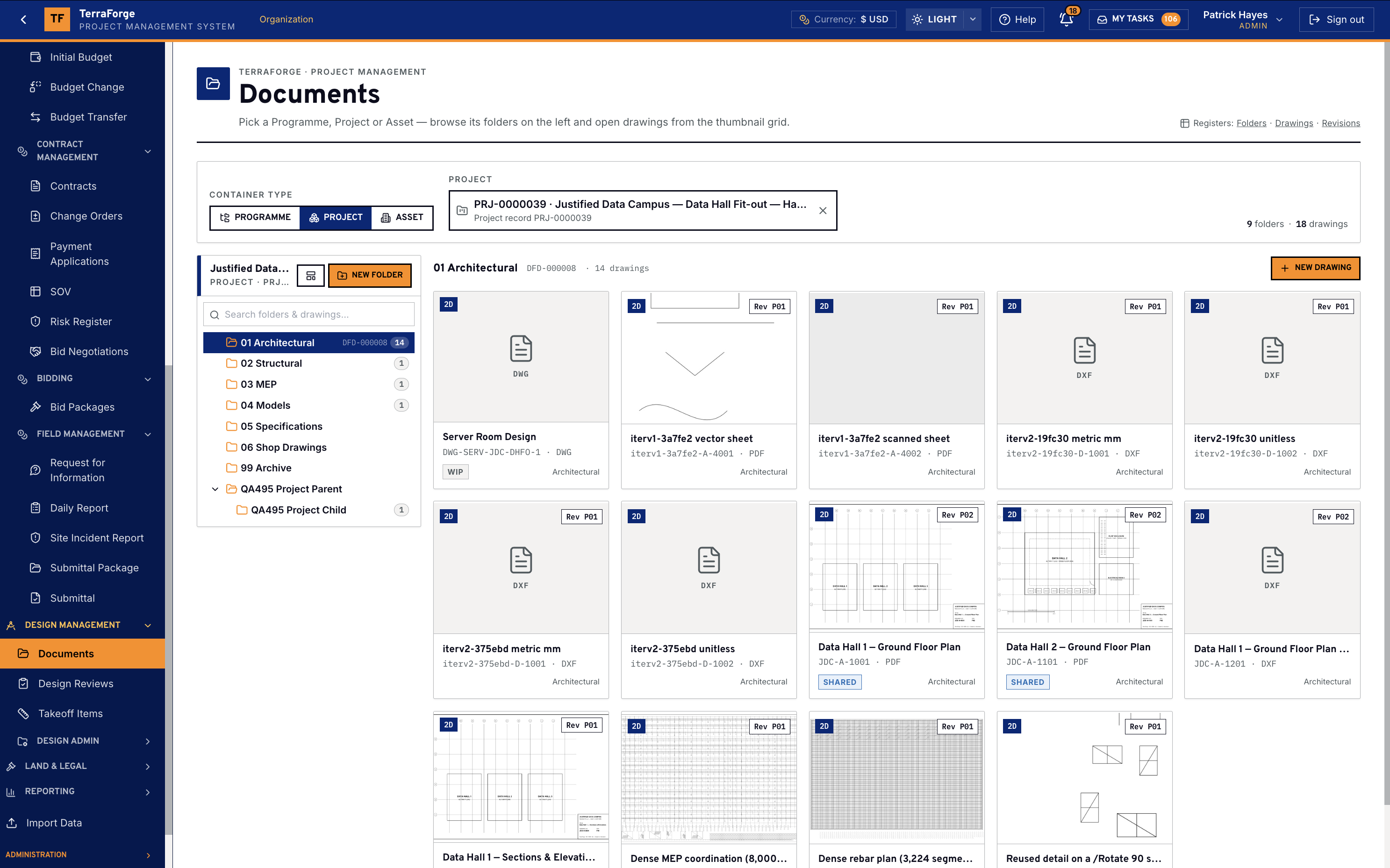
The register starts with the container. Programme, project or asset. This demonstration is project PRJ-0000039, Justified Data Campus, the data hall fit-out. Nine folders and eighteen drawings sit on that record. The registers along the top are Folders, Drawings and Revisions.
The tree is the left-hand browse. Architectural is open — folder DFD-000008, fourteen drawings. Structural, MEP, models, specifications, shop drawings and archive are the rest of the standard set. Folders nest. A new folder is created on the container. A new drawing is created in the folder that is open.
Each card is one drawing. Thumbnail, number, title, native file and revision. DWG, DXF and PDF are on this grid. Rev P01 and Rev P02 are the issue codes. Work in progress and shared are the states on the cards. The file lives on the revision. A newer file is a new revision, with the history kept.
On the programme
A programme record carries Documents, Design Reviews, Takeoff and Bid Packages next to contracts, change orders, pay apps and funding. The same tabs sit on the project. Documents on that tab is the folder tree and the thumbnail grid.
Design reviews mark up the revision the review snapshotted. Mark types are pin, cloud and box. Severity runs from info to critical. Close the mark, reply on it, or create an RFI pre-filled with the drawing, the revision and the comment. Export a stamped PDF. Bidders never see reviews. A revise-and-resubmit outcome starts a new review. The old marks stay on the old revision.
The registers
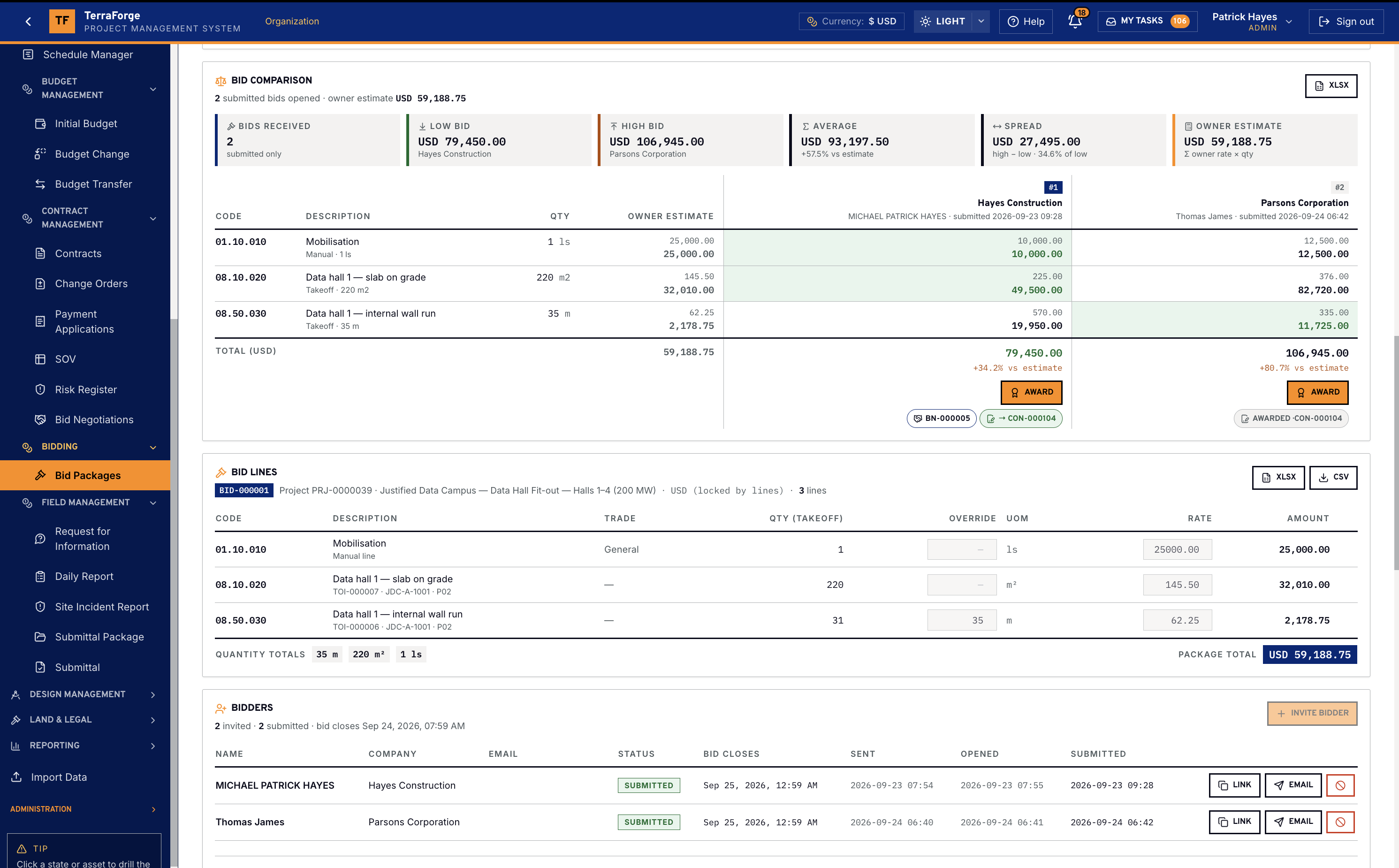
Submittals are shop drawings, product data, samples, mock-ups, test reports and certificates. They belong to a package — a discipline or a system — and move Draft, Submitted, Under Review, Approved, Approved as Noted, or Revise and Resubmit. Flag one critical path. Flag one for closeout when it is an O&M manual, a warranty or an as-built. A long-lead item carries lead time, anticipated delivery, actual delivery and a tracking number.
Permits are their own register, on the project, with the authority having jurisdiction. They are not a status on a submittal. Attachments on a contract, an asset, a permit or a field record are stored with that record and scanned for type. Images on a daily report go to the photo gallery, not the attachment list. Global Search finds the record’s text. It does not index the file bytes, and it does not index raw identifiers.
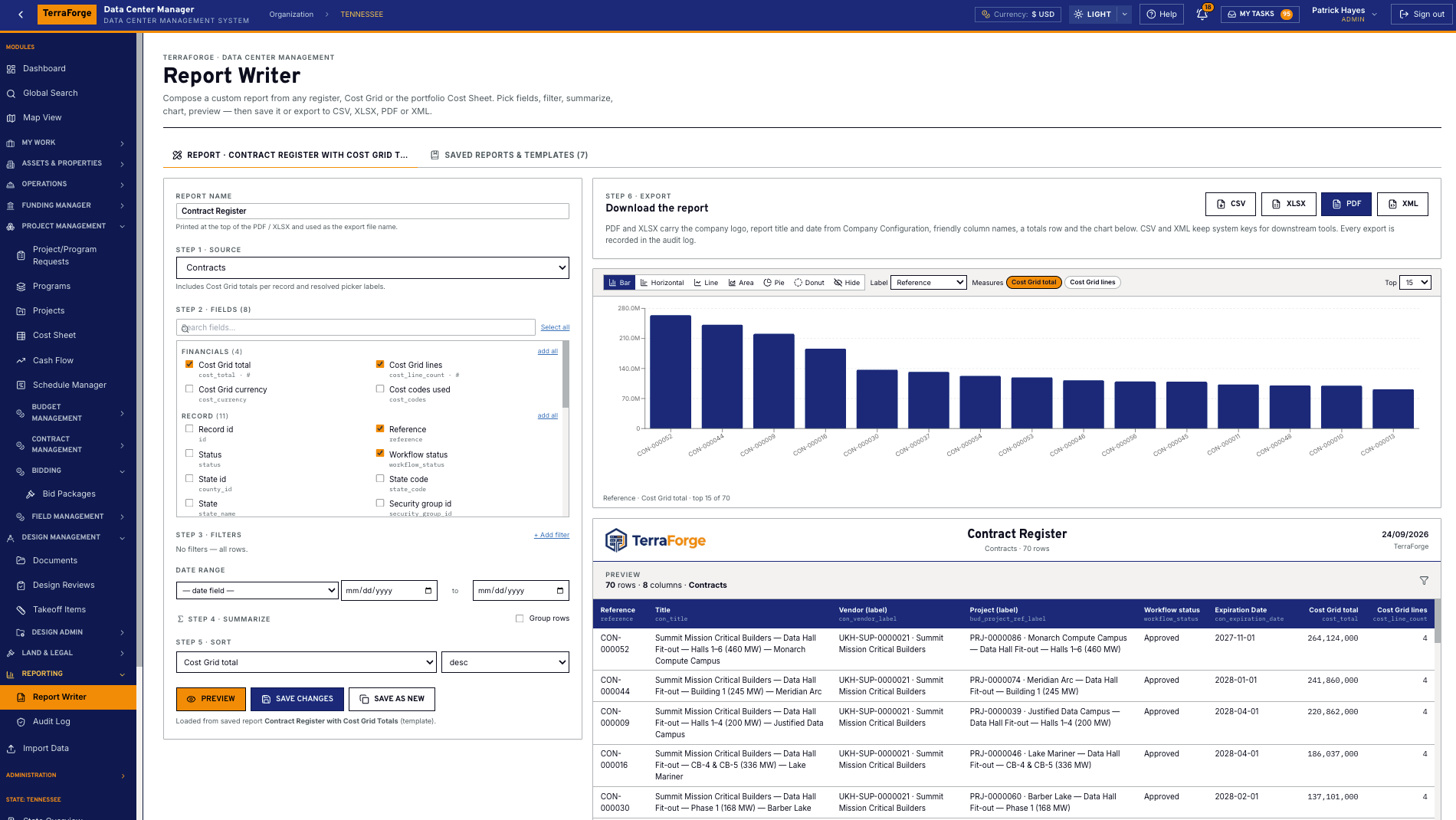
Report Writer is how a pack leaves the system: any register, a cost grid or the portfolio cost sheet, then CSV, XLSX, PDF or XML. The export is audited. Superseding a file is a new revision or a new issue, with history, not a second copy dropped beside the first.
The programme team owns it. Same navigation at portfolio, programme and project. Same My Tasks inbox. App Builder publishes the next step on a Tuesday, without a vendor ticket.
What ships
Your cost codes, your workflow, your campuses. Write sales@terraforge.build.